
Startups are disproportionately vulnerable to cyberattacks because speed, lean teams, and fragmented controls create predictable, high-value openings for attackers. The root cause is rarely a sophisticated exploit; it’s shared credentials, exposed API keys, and unpatched cloud configurations left behind by a team racing to ship. Small businesses account for roughly 43% of cyberattacks annually, and most of them believed they were too small to matter.
The ENISA SME cybersecurity guidance makes the point plainly: small and mid-sized organizations face the same technical threats as large enterprises but with a fraction of the staff, budget, and monitoring coverage. Attackers know this. Automated scanning tools don’t care how many employees you have; they care whether your S3 bucket is public or your Git repository has a hardcoded key. For founders who want a managed-service partner rather than a DIY fire drill, options like 247Techify’s cybersecurity services exist specifically to close these gaps quickly.
If you’ve read this far because something feels off, or you simply want to get ahead of the problem, run this checklist in the next 24 to 72 hours:
- Enable multi-factor authentication on every account that supports it, starting with email, cloud admin, and code repositories.
- Rotate any API keys or credentials that have ever been pasted into Slack, a shared doc, or a public repo.
- Disable or delete admin accounts belonging to former employees or contractors.
- Take a fresh backup snapshot of your production database and confirm it’s stored somewhere separate from your primary environment.
- Turn on basic logging (CloudTrail, audit logs, or your platform’s equivalent) if it isn’t already running.
- Check your cloud storage buckets for public read/write access and lock down anything that shouldn’t be exposed.
None of these take more than an afternoon. All of them close the doors attackers try first.
Key Takeaways
Startups get breached primarily through preventable gaps, shared credentials, exposed keys, and missing MFA, not sophisticated attacks, so fixing the basics first eliminates most realistic risk.
| Point | Details |
|---|---|
| Enable MFA everywhere | Closes the most common credential-based attack path attackers use against small teams. |
| Rotate exposed secrets | API keys and passwords shared outside a password manager should be treated as already compromised. |
| Test backups, not just backup jobs | A backup that hasn’t been restored successfully isn’t a real backup during a ransomware event. |
| Run a quarterly tabletop drill | Rehearsed incident response cuts confusion and response time when a real breach happens. |
| Bring in managed support when it makes sense | 247Techify offers 24/7 monitoring and sub-30-minute response for startups that need coverage without a full internal security team. |
Table of Contents
- Why Startups Face Cyber Threats More Than Most Businesses Realize
- Common Cyber Vulnerabilities in Startups
- What Happens When Startups Get Breached
- How to Prioritize Startup Cyberattack Prevention
- Building a Security-Aware Culture That Scales With You
- When Should Startups Bring in Outside Security Experts?
- Your First 72 Hours After a Suspected Breach
- Cyber Insurance for Early-Stage Startups
- Data Privacy Laws and Compliance Startups Can’t Ignore
- Why Founders Should Treat Security as a Growth Lever, Not a Tax
- How 247Techify Helps Startups Close These Gaps Fast
- Sources
- FAQ
Why Startups Face Cyber Threats More Than Most Businesses Realize
Attackers target startups for the same reason burglars prefer unlocked doors: it’s cheaper and faster than breaking through a vault. Most attacks against small companies aren’t bespoke operations run by a skilled adversary sitting behind a keyboard studying your infrastructure. They’re automated. Bots scan the entire internet for exposed ports, default credentials, and misconfigured storage, then flag anything that looks soft for a human to follow up on. A startup with a public S3 bucket or an admin panel using default credentials gets caught in that net just as easily as a Fortune 500 company, except the startup usually notices weeks later, if at all.
The economics favor volume over precision. Why spend three months developing a zero-day exploit against a hardened enterprise when a scripted credential-stuffing attack against a hundred startups yields the same payout with a fraction of the effort? Reporting from Sifted documents this pattern across portfolio companies, where basic control gaps, not sophisticated intrusion techniques, were the common thread in nearly every breach investigated.
What attackers actually want from a startup varies, but it usually falls into a few buckets:
- Intellectual property — product roadmaps, source code, or proprietary algorithms that competitors or foreign actors will pay for.
- Credentials for lateral movement — a compromised employee login often opens doors to connected vendor systems, cloud consoles, or customer data platforms.
- Vendor and supply-chain access — startups frequently have API integrations with larger partners, making them a stepping stone into bigger targets.
- Ransom opportunities — a young company without tested backups is far more likely to pay quickly just to stay operational.
Ransomware volume keeps climbing year over year, according to Statista’s tracking of global ransomware attacks, and small organizations without dedicated recovery plans are disproportionately represented among victims who end up paying.
Common Cyber Vulnerabilities in Startups
Most breaches don’t start with a novel attack technique. They start with something mundane that nobody got around to fixing. Grouping the failure points into three categories makes it easier to audit your own exposure.
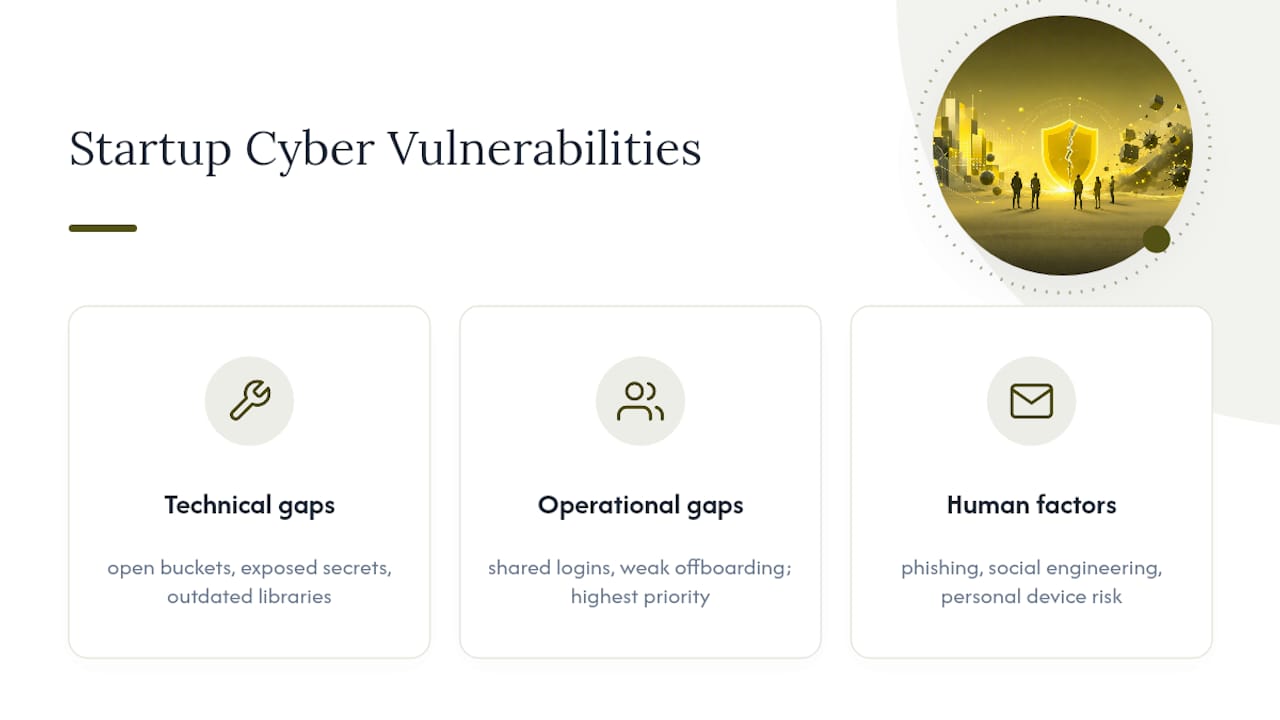
Technical gaps show up in the infrastructure itself. Cloud misconfigurations, like a storage bucket left open to the public or an overly permissive Identity and Access Management policy, are among the most common entry points. Exposed secrets, API keys committed to a public GitHub repo, or hardcoded database passwords in a client-side script, get scraped by automated tools within hours of being posted. Outdated dependencies with known vulnerabilities sit quietly in a codebase until someone runs an automated exploit against the exact library version you never updated.
Operational gaps come from how the team actually works day to day. Shared logins across a founding team feel efficient until one person’s laptop gets compromised and every connected system goes with it. Shadow SaaS, tools employees sign up for without IT or security ever knowing, creates data sprawl nobody is monitoring. Weak offboarding is a quiet killer: a departed employee’s Slack, GitHub, or AWS console access frequently stays active for weeks because nobody owns the process of shutting it down, a pattern JumpCloud’s research on startup security challenges calls out as one of the most common and preventable failure modes.
Human factors round out the list, and they’re the hardest to patch with a config change. Phishing emails targeting finance or engineering staff remain one of the most effective attack vectors precisely because they don’t require exploiting any technology at all, just a moment of distraction. Social engineering calls impersonating vendors or IT support convince employees to reset passwords or share codes. Remote work widens the attack surface further: personal devices, home routers, and public Wi-Fi rarely meet the same security bar as an office network.
If you only have time to fix one category first, fix the operational one. Shared credentials and poor offboarding cause a disproportionate share of startup breaches because they don’t require an attacker to be clever. They just require someone to notice the door was left open.
What Happens When Startups Get Breached
Abstract risk becomes concrete fast once you look at what actually happens to companies that skip the basics. Crypto trading platform 3Commas suffered a breach where API keys tied to user exchange accounts were leaked, allowing attackers to execute unauthorized trades across thousands of accounts. Hardware wallet maker Ledger experienced a data breach through a third-party e-commerce contractor, exposing customer names, addresses, and emails that were later used in phishing and even physical threat campaigns against customers. Neither incident stemmed from a nation-state-grade exploit. Both traced back to third-party access and credential handling that hadn’t been tightened.
The fallout from incidents like these tends to follow a familiar pattern:
- Direct financial cost — incident response, legal fees, and in ransomware cases, the ransom itself, plus the cost of downtime while systems are rebuilt.
- Reputational damage — customers who trusted a company with financial or personal data don’t forget a breach, especially when notification is delayed or vague.
- Investor and partnership fallout — due diligence for a funding round or an enterprise contract increasingly includes security questionnaires, and a recent breach is a hard thing to explain away.
- Lost deals — enterprise buyers frequently require SOC 2 or equivalent evidence of controls before signing, and a security incident can freeze a sales pipeline for months.
What made these incidents worse wasn’t the initial compromise. It was the absence of simple controls that would have contained the damage: scoped API permissions, vendor access reviews, and rapid revocation processes. A breach is often survivable. A breach with no containment plan tends to become an existential one.
How to Prioritize Startup Cyberattack Prevention
Founders don’t need an enterprise security program in month one. They need the handful of controls that eliminate the majority of realistic attack paths, done in the right order. The framework is simple: rank each fix by how much risk it removes against how much effort it takes, and start with anything that’s high impact and low effort.
The good news is that most of the highest-impact controls for an early-stage company are inexpensive and fast to deploy. Baseline protections like MFA everywhere, single sign-on, secret scanning, and basic cloud logging can be configured in roughly 8 to 16 hours of focused work, and they close off the vectors attackers use most often against small organizations.
| Control | Typical Time to Implement | Rough Cost Range (Early-Stage) |
|---|---|---|
| MFA on all critical accounts | 2 to 4 hours | Free to low cost (built into most platforms) |
| Single sign-on (SSO) rollout | 1 to 2 days | $3 to $8 per user, per month |
| Secret scanning (GitHub, GitLab) | 1 to 3 hours | Free tier available on most platforms |
| Cloud logging (CloudTrail or equivalent) | 2 to 4 hours | Low, usage-based cloud billing |
| Automated backups with test restores | 1 day | Varies by data volume, often under $100/month |
| Baseline endpoint detection (EDR) | 1 to 2 days | $5 to $10 per device, per month |
Beyond the table, a handful of configuration moves take minutes and matter disproportionately: enabling S3 Block Public Access on every bucket, revoking any API key that shows up in a code scan, and requiring hardware or app-based MFA (not SMS) on your cloud admin console. Vcso treats these as the non-negotiable starting point before anything more advanced.
Here’s a nine-item mini-playlist to work through, roughly in order:
- Enable MFA on email, cloud consoles, and code repositories (2 to 4 hours).
- Rotate every credential or key that has ever been shared outside a password manager (2 hours).
- Turn on secret scanning across your repositories (1 hour).
- Enable S3 Block Public Access or your cloud provider’s equivalent (30 minutes).
- Set up centralized logging for admin and access events (2 to 4 hours).
- Deploy SSO across your core SaaS tools (1 to 2 days).
- Test a full backup restore, not just a backup job completing (half a day).
- Document an offboarding checklist and apply it retroactively to any recent departures (2 hours).
- Run a basic vulnerability scan against your public-facing infrastructure using our small business network security checklist as a reference (half a day).
Pro Tip: Don’t try to fix everything in one sprint. Block two hours a week for six weeks and work through the list in order. A security program that gets 80% done consistently beats one that’s perfect on paper and abandoned after week one.
Building a Security-Aware Culture That Scales With You
Controls without ownership decay fast. Someone on your team, even if it’s the founder wearing five hats, needs to be the named person accountable for security decisions. That doesn’t mean hiring a CISO in year one. It means writing down who approves new SaaS tools, who reviews access permissions quarterly, and where the incident runbook lives so nobody’s hunting for it during an actual emergency.
A quarterly access review is one of the cheapest habits you can build. Pull the list of everyone with access to your cloud console, your CRM, and your financial tools, and ask a simple question: does this person still need this? Shared logins and stale access are two of the most common ways former employees or compromised accounts stay dangerous long after anyone remembers they had access.
Running a tabletop exercise sounds intimidating but takes less time than most people expect. Block ninety minutes, pick a realistic scenario (a leaked API key, a phishing email that got a click, a vendor breach affecting your data), and walk through it as a team: who notices first, who they tell, what gets shut down, who talks to customers. MIT Sloan’s research on startup cyber resilience points to these drills as one of the highest-leverage habits a young company can build, precisely because confusion costs more time than the incident itself during a real event.

Training doesn’t need a formal program to be effective. A five-minute “security moment” at the start of a weekly all-hands, sharing a real phishing email that almost worked, works better than a mandatory annual course nobody remembers. Some teams run informal phishing simulations and reward whoever reports a suspicious email first. Our guide on employee cybersecurity training steps breaks down formats that scale without eating a full day of engineering time.
Pro Tip: The shortcuts you take in month three tend to show up as expensive fixes in year two. A shared root password feels harmless when you’re a team of four; it’s a liability audit finding when you’re forty.
When Should Startups Bring in Outside Security Experts?
There’s a point where DIY security stops making sense, and most founders miss it by several months. A few signals tend to line up around the same time: you cross roughly 20 to 30 employees, you start handling regulated data like health records or payment information, you’ve had more than one close call in the past year, or an enterprise prospect asks for SOC 2 evidence before they’ll sign a contract.
If any of those apply, evaluating a managed service, a virtual CISO, or an incident-response retainer is worth the conversation. When you do, ask vendors these questions before signing anything:
- What’s your guaranteed response time for a suspected active incident?
- Can you provide SOC 2 or ISO 27001 evidence, and can I see it, not just hear about it?
- How long do you retain logs and forensic data after an incident?
- Do you have references from clients in regulated industries like healthcare or finance?
- What does your monitoring coverage actually include, endpoints, cloud, network, or all three?
- What happens in the first hour after you’re notified of a breach?
247Techify offers managed cybersecurity services built around 24/7 monitoring and a sub-30-minute response commitment, with direct experience supporting clients in regulated sectors like healthcare and finance who need HIPAA and PCI-DSS compliance handled correctly the first time. For founders who don’t have the bandwidth to build this in-house, that kind of managed coverage often costs less than a single mid-level security hire while covering more ground.
Your First 72 Hours After a Suspected Breach
Speed and clarity matter more than perfection in the hours right after you discover something is wrong. Work through this in order:
- Contain immediately. Isolate affected systems from the network. Disable compromised accounts. Don’t wipe anything yet.
- Preserve evidence. Take snapshots of affected systems and logs before you start remediation. You’ll need this for insurance, legal, and root-cause analysis.
- Assemble your response team. Founder, technical lead, and legal counsel (even outside counsel) should be on a call within the first few hours.
- Triage scope. Determine what was accessed: customer data, source code, financial systems, or credentials. This shapes every notification decision that follows.
- Notify internally first. Tell your team what happened and what they should and shouldn’t say publicly, before anything leaks informally.
- Loop in your insurer, if you have a policy. Many cyber insurance policies require notification within a specific window to remain valid.
- Draft external communications carefully. Customers and investors need facts, not speculation. State what you know, what you’re doing, and when you’ll update them next. Avoid guessing at scope before your investigation confirms it.
- Restore from a clean, tested backup, not from the compromised environment.
Once the immediate fire is out, don’t skip the follow-up work:
- Run a lessons-learned session within a week while details are fresh.
- Test your backup restore process again to confirm it actually works under pressure.
- Review what evidence you gathered and whether it would hold up for legal or insurance purposes.
- Send a final follow-up communication to customers and investors once the postmortem is complete.
Cyber Insurance for Early-Stage Startups
Cyber insurance is worth evaluating well before you think you need it, because most policies require a baseline of controls, like MFA, endpoint protection, and documented backups, just to qualify for coverage or avoid a denied claim. Insurers increasingly ask detailed underwriting questions about your security posture, and a startup that can’t answer them will either get quoted a high premium or turned down outright.
Coverage typically falls into a few categories worth understanding: first-party costs (incident response, forensics, business interruption, and sometimes ransom payments), third-party liability (claims from customers or partners affected by a breach), and regulatory defense costs if a data privacy authority investigates. For an early-stage company, the honest advice is to get quotes once you’ve implemented your baseline controls; insurers reward demonstrable hygiene with materially better terms, and applying too early with weak controls in place can lock in a worse rate for your first renewal cycle.
Data Privacy Laws and Compliance Startups Can’t Ignore
Regulatory exposure depends heavily on what data you handle and who your customers are, and treating compliance as one-size-fits-all is a mistake that costs startups real money. A company processing payment card data needs to understand PCI-DSS requirements regardless of size. A healthcare-adjacent startup handling patient information in the United States falls under HIPAA obligations. Companies with European users need to account for GDPR’s data-handling and breach-notification rules, and several U.S. states now have their own privacy statutes with separate thresholds and requirements.
The common thread across nearly all of these frameworks is breach notification timing: most require you to notify affected individuals or regulators within a defined window, often 72 hours or less, once you know personal data was compromised. That timeline is exactly why the incident response playbook above matters as much as any technical control. This article provides general information, not legal advice; confirm your specific obligations with a qualified attorney or compliance specialist familiar with your industry and the jurisdictions where your customers live.
Why Founders Should Treat Security as a Growth Lever, Not a Tax
Founders often treat security as overhead, something to bolt on once there’s budget for it. That framing gets the priority backward. A documented incident response plan, basic access controls, and evidence of routine security review aren’t just defensive measures; they’re increasingly a condition of doing business. Enterprise buyers ask for SOC 2 reports before they’ll sign. Investors run security diligence alongside financial diligence during a raise. A company that can answer these questions confidently moves faster through both processes than one scrambling to produce evidence after the fact.
What’s consistently underestimated is how little time the baseline controls actually take. Teams that implement MFA, secret scanning, and tested backups in their first quarter rarely think about security again until it’s time to renew a vendor contract or a customer asks for documentation. Teams that skip it spend far more time later, usually during a funding round or a breach, trying to retrofit controls under pressure while explaining a gap to people who are deciding whether to trust them with money or data.
Security debt behaves like technical debt: it’s invisible until the exact moment it becomes unavoidable, and it’s always more expensive to pay down under duress than to have never taken it on. The startups that treat baseline hygiene as part of shipping, not a separate project, are the ones that don’t end up writing an incident notification letter in their second year.
How 247Techify Helps Startups Close These Gaps Fast
If your team is stretched thin and the checklist above feels like one more thing competing for engineering time, that’s exactly the gap managed security services exist to close. 247Techify runs 24/7 threat monitoring with a response commitment under 30 minutes, meaning a suspicious login or an exposed key gets addressed while you’re asleep, not discovered three days later during a routine check.

Services relevant to the risks covered in this guide include managed detection and response, incident response support, Microsoft 365 and cloud security hardening, and compliance consulting for startups handling regulated data under HIPAA or PCI-DSS. If you want a clear picture of where your startup actually stands, request a security health check through 247Techify’s managed IT services and get a prioritized action plan instead of a generic audit report.
Sources
- How to bake cyber resilience into your startup culture — MIT Sloan
- ENISA report: Cybersecurity for SMEs
- Ransomware attacks per year worldwide — Statista
- Hackers are watching your startup. Not many are prepared — Sifted
- Vcso
FAQ
Why are startups more vulnerable to cyberattacks than larger companies?
Startups move fast without dedicated security staff, which leaves gaps like shared credentials, exposed API keys, and misconfigured cloud storage that attackers find through automated scanning rather than targeted effort.
What’s the fastest thing a startup can do to reduce cyber risk?
Enable multi-factor authentication across email, cloud consoles, and code repositories; it takes a few hours and closes the most commonly exploited attack path.
How much does basic startup cybersecurity cost to set up?
Core controls like MFA, secret scanning, and cloud logging typically take 8 to 16 hours to configure and cost relatively little, often just the price of existing platform features plus modest SaaS fees.
Do early-stage startups actually need cyber insurance?
Yes, though most insurers require baseline controls like MFA and documented backups before offering favorable terms, so implementing those first typically leads to better coverage and pricing.
When should a startup outsource security instead of handling it internally?
Consider outsourcing once you cross roughly 20 to 30 employees, start handling regulated data, or face enterprise buyers requiring SOC 2 evidence. Options like 247Techify’s managed cybersecurity services offer 24/7 monitoring without the cost of a full internal team.