A network security checklist for small businesses is a structured, repeatable tool that systematically closes the vulnerabilities attackers exploit most. 43% of cyberattacks target companies with fewer than 100 employees, making small businesses the most frequent victims of cybercrime. Phishing and weak passwords cause over 80% of breaches in this segment. That statistic alone tells you where to focus first. The industry term for this practice is a network security assessment, and the checklist format is how you execute one consistently, without a full-time security team. This guide gives you every step, in the right order.
1. Network security checklist: start with perimeter defenses
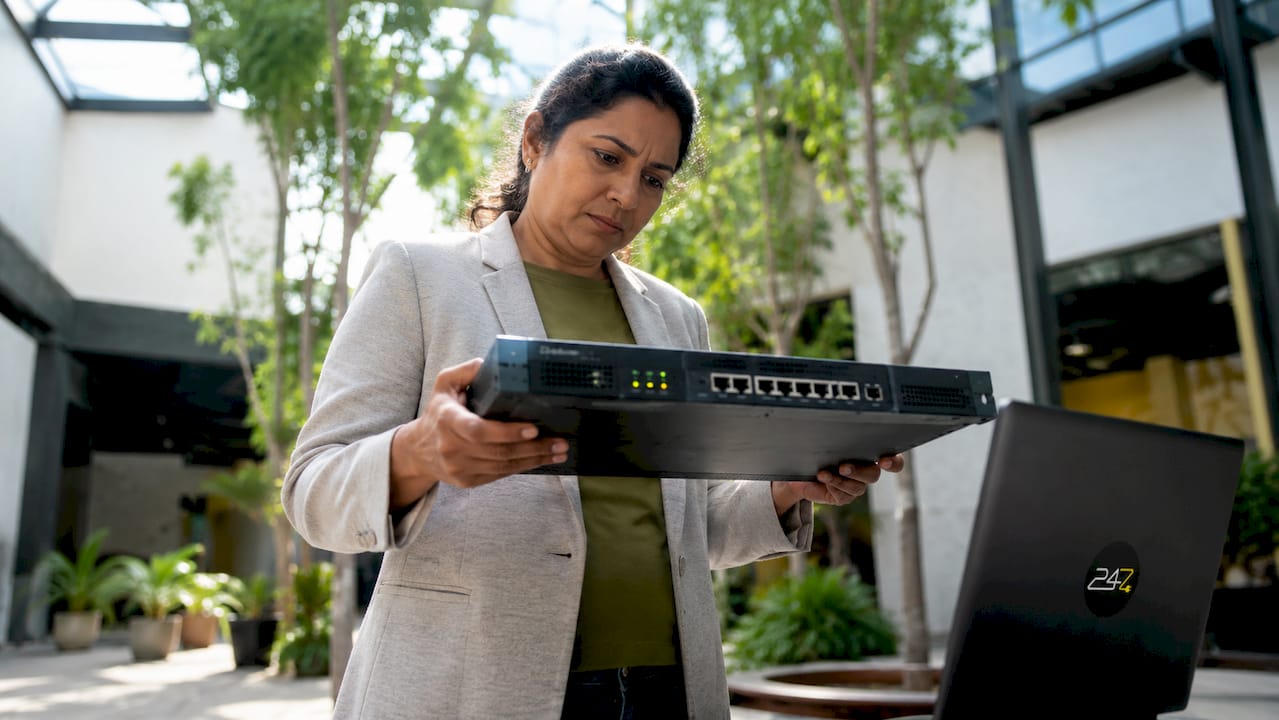
Your firewall is the first line of defense between your internal network and the internet. Consumer-grade routers lack the advanced firewall rules, VLAN support, and security policy management that business environments require. Replacing consumer equipment with business-grade devices is one of the highest-impact improvements a small business can make.
Once you have the right hardware, configuration discipline matters just as much as the hardware itself. Document every firewall rule, assign it an owner, and set an expiration date for rules tied to temporary access. A default-deny posture means all traffic is blocked unless explicitly permitted. This approach eliminates the “forgotten open port” problem that attackers routinely exploit.

Pro Tip: Schedule quarterly firewall rule reviews to catch and remove stale entries before they become attack vectors. This practice directly prevents “network drift,” the gradual degradation of your security posture through accumulated, unreviewed changes.
Core perimeter and access control steps:
- Deploy business-grade firewalls with stateful packet inspection
- Document all firewall rules with owner, purpose, and review date
- Enforce a default-deny inbound policy
- Apply role-based access controls using the principle of least privilege
- Disable accounts for departing employees on their last day
- Enable multi-factor authentication (MFA) on all administrative and remote access accounts
- Review active user accounts and permissions every quarter
Neglecting access management creates a backdoor even when your firewall is properly configured. Pair every network security review with an identity audit.
2. Securing wireless networks and internal segmentation
An unsegmented Wi-Fi network is an open invitation for lateral movement. If an attacker compromises a guest device on a flat network, they can reach your accounting system, your file server, and your customer database without hitting a single additional barrier. Network segmentation removes that path entirely.
Use WPA3 or WPA2-Enterprise encryption on all business wireless networks. WEP is broken and should be treated as no encryption at all. Open Wi-Fi, even for guests, creates liability you cannot afford. Change default SSIDs so your network does not broadcast the router manufacturer to anyone scanning nearby.
Pro Tip: Use VLANs to isolate IoT devices, point-of-sale terminals, and guest access from your core business systems. A printer or smart thermostat on the same network segment as your file server is a risk most small business owners never consider.
Wireless security steps to include in your IT security checklist:
- Separate guest and business Wi-Fi onto distinct network segments
- Use WPA3 or WPA2-Enterprise; never use WEP or open networks
- Change default SSIDs and router admin credentials immediately on setup
- Apply firmware updates to wireless access points on a defined schedule
- Enable wireless intrusion detection if your access point supports it
- Rotate shared Wi-Fi passwords on a quarterly basis
- Audit connected devices monthly to identify unauthorized endpoints
Changing default credentials system-wide is one of the most frequently skipped steps in small business network hygiene. Default passwords are publicly documented and trivially exploited.
3. Endpoint protection and employee security practices
Every device that connects to your network is a potential entry point. Antivirus and endpoint protection software must run on every workstation, laptop, and mobile device with access to business data. Unmanaged personal devices connecting to business systems represent a category of risk that many small businesses ignore until a breach occurs.
Password hygiene is the single most preventable cause of credential theft. Enforce a minimum password length of 14 characters, require complexity, and prohibit password reuse. A password manager eliminates the human tendency to reuse credentials across systems. MFA on financial accounts, email, and any system holding customer data is non-negotiable.
Employee behavior is the attack surface you cannot patch with software. Security awareness training teaches staff to recognize phishing emails, suspicious links, and social engineering attempts before they click. A single trained employee who flags a phishing attempt protects the entire organization.
Pro Tip: Audit all user accounts and third-party vendor access every 90 days. Vendor remote access accounts that remain active after a project ends are a documented attack vector.
Essential endpoint and employee security practices:
- Install and maintain endpoint protection on every business device
- Enforce strong password policies and deploy a password manager
- Require MFA on email, financial systems, and remote access tools
- Prohibit shared logins; every user gets a unique account
- Conduct phishing simulation training at least twice per year
- Restrict and log all vendor remote access sessions
- Apply operating system and application patches within 30 days of release
Timely software patching and MFA significantly reduce the risk of credential-based breaches. These two controls alone eliminate the majority of common attack paths against small business networks.
4. Regular audits, monitoring, and incident preparedness
Security is not a one-time setup. Repeated audits and reviews maintain the effectiveness of your firewall rules, user permissions, and firmware configurations over time. Initial setup without periodic reviews creates vulnerabilities that compound quietly until they are exploited.
Experts recommend annual full network security audits with quarterly reviews to catch network drift between major assessments. A professional network security assessment costs $3,000–$15,000 on average, while a data breach for a small business costs approximately $164,000. The math is straightforward.
A structured audit and response process follows this sequence:
- Inventory all assets. Document every device, software application, and user account connected to your network.
- Scan for vulnerabilities. Run authenticated vulnerability scans against all endpoints and network devices.
- Review firewall rules and access controls. Remove stale entries, confirm least-privilege assignments, and verify MFA enforcement.
- Check firmware and patch status. Identify any device running outdated firmware or unpatched software.
- Audit logs and monitoring alerts. Confirm that logging is active, logs are retained offline, and alerts are routing to a monitored destination.
- Test your backup and recovery process. Restore from backup in a test environment to confirm your disaster recovery plan actually works.
- Prioritize findings by risk. Address critical and high-severity findings within 30 days; schedule medium findings within 90 days.
- Update your incident response runbook. Assign roles, define escalation paths, and confirm contact information for your response team.
| Audit cadence | Focus area | Primary goal |
|---|---|---|
| Annual | Full infrastructure review | Identify systemic gaps and compliance status |
| Quarterly | Firewall rules and user accounts | Catch network drift and permission creep |
| Monthly | Patch status and device inventory | Maintain hygiene on endpoints and firmware |
| After any incident | Logs, access records, and affected systems | Contain damage and close the exploited gap |
Self-conducted security audits with honest gap analysis let small businesses remediate risks effectively without high consulting fees. A structured self-review takes roughly half a day and produces a 90-day remediation plan you can act on immediately.
Key takeaways
A network security checklist for small businesses works because it converts abstract risk into specific, repeatable actions that any business owner can execute and verify.
| Point | Details |
|---|---|
| Perimeter defense is foundational | Replace consumer routers with business-grade firewalls and enforce a default-deny policy. |
| Segmentation stops lateral movement | Isolate guest, IoT, and business traffic using VLANs and separate SSIDs. |
| MFA and patching prevent most breaches | Multi-factor authentication and timely updates eliminate the majority of common attack paths. |
| Audits must be scheduled, not reactive | Run annual full audits and quarterly drift checks to maintain security posture over time. |
| Breach costs dwarf prevention costs | A data breach costs small businesses roughly $164,000; a professional assessment costs far less. |
What working with small businesses has taught us about network security
The most common mistake we see is treating a security setup as a finished project. A business owner installs a firewall, sets up antivirus, and considers the work done. Six months later, firmware is outdated, a former employee’s account is still active, and the guest Wi-Fi shares a segment with the accounting server. The attackers do not need a sophisticated exploit. They just need patience and a network that stopped being maintained.
The second pattern we see is over-investment in complexity before the basics are solid. Businesses spend money on advanced threat detection tools while running default passwords on their wireless access points. That is the equivalent of installing a biometric lock on a door with a broken frame. Basic hygiene moves businesses out of the easy-target zone faster than any premium tool.
Resource constraints are real for small businesses, and we do not dismiss them. The practical answer is prioritization, not perfection. MFA, password managers, firmware updates, and quarterly account reviews cost very little and close the vulnerabilities that cause the overwhelming majority of small business breaches. Start there. Build from that foundation. Security is a continuous operational discipline, not a product you purchase once and forget.
— 247techify Team
How 247techify supports your network security posture
Running a thorough security checklist takes time, expertise, and consistent follow-through. Most small business owners have all three competing with every other operational demand on their calendar.
247techify provides managed cybersecurity services built specifically for Canadian small businesses, including proactive network monitoring, vulnerability assessments, and incident response with a guaranteed response time under 30 minutes. The team holds expertise in compliance standards including HIPAA and PCI-DSS, which matters if your business operates in healthcare or finance. Rather than waiting for a breach to reveal your gaps, 247techify’s managed IT services keep your firewall rules current, your patches applied, and your user accounts audited on a defined schedule. A 98% client satisfaction rate reflects what consistent, expert-led security management actually looks like in practice.
FAQ
What is a network security checklist for small businesses?
A network security checklist is a structured list of controls, configurations, and review tasks that a small business executes on a defined schedule to reduce its attack surface. It covers perimeter defenses, access controls, wireless security, endpoint protection, and audit procedures.
How often should a small business conduct a network security audit?
Experts recommend annual full audits combined with quarterly reviews focused on firewall rules, user accounts, and firmware status to prevent network drift between major assessments.
What are the most common small business network security gaps?
The most frequent gaps are outdated firmware, guest Wi-Fi not isolated from business systems, and default passwords left unchanged on network devices. Addressing these three issues alone significantly reduces exploitation risk.
Does multi-factor authentication really make a difference?
MFA is one of the highest-impact controls available to small businesses. Timely patching and MFA together eliminate the majority of credential-based attack paths that threat actors use against small business networks.
Can a small business conduct its own security audit without a consultant?
A structured self-review takes roughly half a day and produces a prioritized remediation plan. Self-conducted audits with honest gap analysis are effective for most small businesses, though a professional assessment is advisable for regulated industries or complex environments.