
For most small and mid-size companies running a standard SaaS stack, outsourcing IT delivers positive ROI within 6 to 18 months, measured against loaded FTE costs and downtime avoidance. Industry benchmarks put typical cost reductions between 25% and 60% on a fully loaded basis, and 247techify’s own model reflects that same math. Three rules determine which side of that range you land on.
- Outsourcing usually wins: under 150 employees, a standard SaaS stack, and no dedicated IT department already in place.
- In-house usually wins: proprietary infrastructure, deep engineering headcount, or IT as a genuine product differentiator.
- Hybrid wins: regulated industries needing both internal oversight and 24/7 external coverage.
Key Takeaways
Positive outsourced IT ROI depends less on the vendor’s price sheet and more on whether downtime, MTTR, and SLA adherence get tracked after the contract is signed.
| Point | Details |
|---|---|
| Verdict for most SMBs | Outsourcing typically pays back within 6 to 18 months for companies under 150 users on a standard SaaS stack. |
| Use the simple formula | (Annual savings − annual cost) / annual cost, run against a worked example before presenting to finance. |
| Benchmark range | Expect 25% to 60% cost reduction on a fully loaded basis, with automation adding another 20% to 30% efficiency. |
| Governance protects ROI | Monthly KPI reviews, SLA minimums, and a written exit clause prevent the most common failure mode. |
| Where 247techify fits | Sub-30-minute response times and 98% client satisfaction give a concrete benchmark for evaluating any managed IT quote. |
Table of Contents
- Outsourced IT ROI at a Glance: The CFO Toolkit
- How Do You Calculate Outsourced IT ROI?
- Where Does Outsourced IT Actually Create ROI?
- Which Pricing Model Actually Protects Your ROI?
- What Risks Erode Outsourced IT ROI Over Time?
- Outsourced, Hybrid, or In-House: A Decision Rubric
- What Tools Help You Estimate Outsourced IT ROI?
- What 247techify’s Track Record Tells You About Realistic ROI
- Editorial Take: What the Numbers Actually Tell You
- Get a Practical Next Step on Your Outsourced IT ROI
- Sources
- FAQ
Outsourced IT ROI at a Glance: The CFO Toolkit
Outsourced IT ROI comes down to one formula: (annual savings minus annual cost) divided by annual cost, expressed as a percentage, alongside a payback period in months. The formula is simple. Collecting accurate inputs is where most calculations go wrong.
Six numbers matter more than any others when you’re evaluating outsourced IT effectiveness:
- Loaded cost per FTE — salary plus benefits, payroll tax, and equipment, not just base pay.
- Per-user managed fee — the vendor’s flat monthly rate, ideally with “user” defined in writing.
- SLA adherence — the percentage of tickets resolved within contracted windows.
- Mean time to resolution (MTTR) — how fast issues actually get fixed, not just acknowledged.
- Downtime cost per minute — lost revenue and productivity when systems go dark.
- Client satisfaction (CSAT) — a leading indicator of vendor relationship health.
Pro Tip: Ask any prospective provider for their trailing 12-month average MTTR and SLA adherence rate in writing. A vendor who can’t produce these numbers on request usually isn’t tracking them internally either.
Benchmark ranges help you sanity-check a quote. The 25% to 60% savings range holds broadly across functions, though compliance-heavy environments tend to land at the lower end because of the added oversight work.

How Do You Calculate Outsourced IT ROI?
Calculating outsourced IT ROI is a five-step process, and the inputs matter more than the formula itself.
- Tally baseline in-house costs. Loaded salary and benefits, software licensing, recruiting and training spend, and the estimated cost of unplanned downtime under current staffing.
- Collect provider-side inputs. Per-user or per-device fee, one-time onboarding costs, what’s actually included (helpdesk, patching, monitoring, on-site visits), and the hourly rate for anything outside scope.
- Amortize one-time costs. Spread transition and onboarding fees across a 1 to 3 year contract horizon rather than dumping them into year one, which understates true ongoing ROI.
- Run the formula. (Annual savings − annual cost) / annual cost, then divide the net first-year cost by monthly savings to get payback in months.
- Stress-test with sensitivity. Rerun the math at 15% and at 45% savings to see how much your conclusion depends on hitting the high end of the benchmark range.
Here’s how that plays out for a 100-user company currently running two in-house IT generalists.
That’s a 55% reduction and roughly $126,000 in annual savings, which sits at the higher end of the documented cost-reduction range but is realistic when the in-house baseline includes real downtime exposure. For companies in the 50 to 150 user range with a standard SaaS stack, a single loaded IT generalist often costs about the same as a fully managed plan once 24/7 coverage and vendor escalations are priced in.
Where Does Outsourced IT Actually Create ROI?
The savings line is only part of the story. Outsourced IT effectiveness shows up across four distinct value streams, and each maps to a specific KPI you should already be tracking.
- Direct cost savings. Per-user pricing avoids the fully loaded cost of a generalist hire, including benefits, training, and the productivity gap during onboarding.
- Productivity gains. Faster MTTR and higher CSAT scores translate into fewer disrupted workdays and more hours redirected toward strategic projects instead of firefighting.
- Risk reduction. Managed monitoring materially cuts unplanned downtime, and standardized patching keeps audit readiness intact for regulated clients.
- Talent access. A provider brings specialized security, compliance, and cloud skills that would take months to hire and onboard internally.
Automation is the multiplier sitting on top of all four. AI-augmented delivery can add another 20% to 30% in efficiency on comparable scopes, largely by cutting the manual triage time behind routine tickets. That’s a meaningful reason 81% of companies now expect their IT vendors to drive strategic outcomes, not just handle tickets. Providers running AI-driven automation into their delivery model are converting that expectation into measurable time savings rather than a marketing line.
Which Pricing Model Actually Protects Your ROI?
Not all outsourced IT pricing models protect ROI the same way, and the wrong one can quietly erase the savings your calculation predicted.
- Per-user or per-device: predictable, scales cleanly with headcount, but watch how “user” gets defined in the contract.
- Block hours: works for light, infrequent needs but overconsumption during a bad month erases any savings edge.
- Time and materials (T&M): flexible for one-off projects, poor for anything you need budgeted with confidence.
- Fixed-price projects: good for scoped work like a migration, risky if scope isn’t locked down tightly.
- Staff augmentation: fills a specific skills gap fast but doesn’t reduce management overhead the way managed services do.
- Outcome-based pricing: ties payment to results and reports higher satisfaction, though it remains a smaller share of contracts and demands tighter governance to work.
Per-user and outcome-based models tend to favor predictability. T&M and staff augmentation favor short-term flexibility but rarely deliver the same compounding ROI over a multi-year horizon.
What Risks Erode Outsourced IT ROI Over Time?
Outsourced IT ROI erodes when governance is weak, not when the pricing model is wrong. Unclear scope and poor vendor selection cause a meaningful share of outsourcing engagements to fail within their first 24 months. The usual culprits are onboarding overruns, vendor staff turnover that resets your institutional knowledge, unmanaged shadow IT creeping back in, and surprise audit fees when compliance documentation isn’t maintained continuously.
A short governance checklist protects the numbers you calculated at signing:
- Monitor SLA adherence and MTTR monthly, not quarterly.
- Require quarterly business reviews with documented KPI trends.
- Confirm you retain runbook and credential access independent of the vendor.
- Get security attestations (SOC 2, HIPAA, PCI-DSS as applicable) refreshed annually.
- Build an exit clause defining data and knowledge transfer timelines before you sign, not after.
- Vendor lock-in is a real cost. Plan your exit before you need it.
Outsourced, Hybrid, or In-House: A Decision Rubric
Score your company across five factors to see which model your numbers actually support.
- Headcount. Under 150 employees generally favors outsourcing; over 500 with dedicated infrastructure needs favors in-house or hybrid.
- Stack complexity. Standard SaaS and cloud tools favor outsourcing; custom or proprietary systems favor in-house expertise.
- Regulatory exposure. Heavy compliance needs (healthcare, finance) often favor hybrid, pairing internal oversight with external execution.
- Coverage requirements. Genuine 24/7 needs almost always favor outsourcing over building an internal night shift.
- Strategic differentiation. If IT itself is your product, keep the core team in-house and outsource the commodity work around it.
Score three or more factors toward outsourcing, and a 90-day pilot with outcome-based clauses and monthly governance checkpoints is the lowest-risk next step.
What Tools Help You Estimate Outsourced IT ROI?
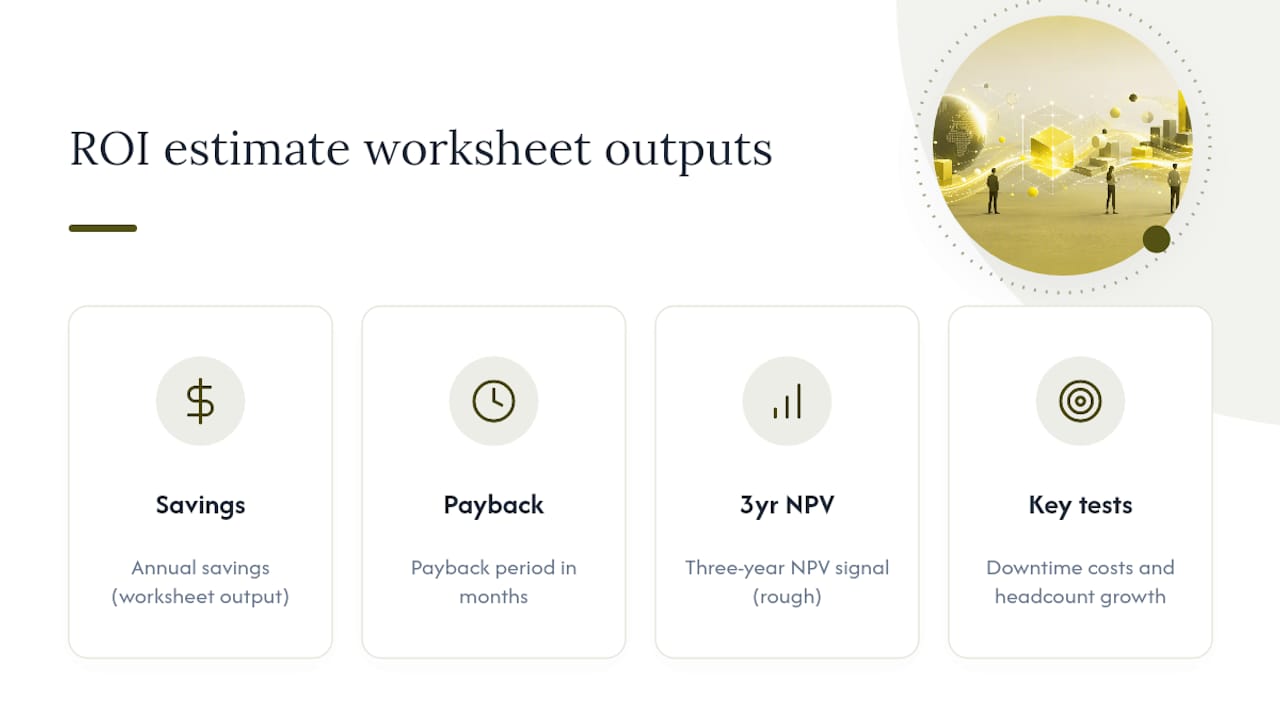
A usable worksheet needs just three outputs: annual savings, payback period in months, and a rough net present value signal over three years. The line items most worth testing are downtime cost assumptions and headcount growth, since both move the payback number more than the base managed fee does.
What 247techify’s Track Record Tells You About Realistic ROI
Every KPI in this guide maps to something measurable in a vendor’s actual performance, not just their pitch deck. 247techify’s own numbers illustrate what “good” looks like on each metric:
- Cybersecurity-first delivery model, built around prevention rather than reactive cleanup.
- Under 30-minute response time on support requests, directly compressing MTTR.
- 24/7 coverage, removing the need to staff or budget a night shift internally.
- Compliance expertise in HIPAA and PCI-DSS, reducing audit prep costs for regulated clients.
- 98% client satisfaction rate, the CSAT number this guide’s KPI list asks you to track.
A sub-30-minute response commitment isn’t a marketing number. It’s the input that turns your MTTR line item from a guess into a measurable KPI you can hold a vendor to.
Pro Tip: When comparing quotes, ask each provider for their actual trailing response-time average, not their SLA target. The gap between the two tells you more about real-world ROI than the contract terms do.
If your rubric score points toward outsourcing or hybrid, an ROI review against your current managed IT services spend is a reasonable next step before renewing any existing contract.
Editorial Take: What the Numbers Actually Tell You
Most outsourcing advice treats cost savings as the whole story, and that’s the biggest gap in the conventional wisdom. The math in this guide says something more specific: the ROI comes from the combination of avoided downtime, faster MTTR, and compliance cost avoidance stacked on top of the base savings percentage. A company chasing the cheapest per-user quote while ignoring SLA adherence is optimizing the wrong variable.

It assumes governance discipline that a lot of companies skip after month three. The real differentiator between vendors isn’t price, it’s retention and communication, because a provider with high staff turnover resets your institutional knowledge every time someone new picks up your account.
If you take one thing from this guide, prioritize the governance checklist over the price sheet. The calculation only holds if someone is actually watching the KPIs after the contract gets signed.
— 247techify Team
Get a Practical Next Step on Your Outsourced IT ROI
247techify built its model around the exact levers this guide walks through: sub-30-minute response times that compress MTTR, 24/7 monitoring that cuts downtime cost, and compliance expertise in HIPAA and PCI-DSS that removes audit prep from your internal team’s plate. For regulated businesses in healthcare, finance, or legal services, that combination turns the savings percentage in your ROI calculation into a number you can actually defend to a board.

If your decision rubric scored toward hybrid rather than fully outsourced, 247techify’s co-managed IT services let your internal team keep strategic oversight while offloading the 24/7 execution layer. Either way, the next step is the same: request an ROI review of your current setup and get a number specific to your headcount and stack before you renew or sign anything new.
Sources
- IT Outsourcing 2026: $638B Market, 30-60% | Stealth Agents
- Outsourced IT Support vs In-House 2026 | Flamingo
- Outsourcing can turn AI into ROI | Grant Thornton
FAQ
Is Outsourcing a Dying Concept?
No. Outsourcing is shifting toward strategic partnerships rather than disappearing, with 81% of companies now expecting vendors to drive innovation rather than just handle routine tickets.
What Is ROI in the IT Industry?
ROI in IT measures the financial return from a technology investment relative to its cost, calculated as (annual savings minus annual cost) divided by annual cost. For outsourced IT specifically, that means comparing loaded in-house staffing costs against managed service fees plus downtime avoidance.
What Does a 20% ROI Mean?
Well-run engagements with strong governance often land well above that.
How Many Jobs Have Been Lost Due to Outsourcing?
Reliable, current figures on job losses specifically tied to IT outsourcing are not well established, and estimates vary widely by industry and definition. What the data does show clearly is that outsourcing increasingly redirects internal staff toward strategic work rather than simply eliminating IT roles outright.