
Choosing the right managed IT services provider is one of the most consequential technology decisions your organization will make. A managed service provider (MSP) takes over proactive management of your IT infrastructure, covering everything from network monitoring and cybersecurity to compliance and help desk support. The wrong choice exposes you to data breaches, compliance failures, and costly downtime. This managed IT services selection guide gives you a structured, criterion-weighted framework to evaluate providers on SLAs, security posture, pricing, and contract terms before you sign anything.
What is a managed IT services selection guide?
A managed IT services selection guide is a structured decision framework for evaluating, comparing, and contracting with a third-party IT provider. The term “managed service provider” or MSP is the recognized industry term. These providers assume ongoing responsibility for defined IT functions under a formal service level agreement (SLA). The selection process matters because operational success depends more on SLA enforceability and contract clarity than on service catalog breadth alone. A provider with 50 services and vague SLAs is a worse choice than one with 20 services and hard contractual commitments.
What requirements must you define before choosing managed IT services?
Defining your requirements before you contact a single provider is the step most organizations skip. Skipping it leads directly to the most common MSP selection mistake: conflicting expectations between finance, IT, and security stakeholders about cost and coverage. Get those three groups aligned on priorities before you issue any request for proposal.
Your requirements definition should cover these core domains:
- IT service scope: Identify which domains you need covered, including network management, cloud infrastructure, cybersecurity, help desk, and regulatory compliance.
- Coverage windows: Decide whether you need 24/7 support, business-hours-only coverage, or time-zone-specific response. This directly affects cost and provider eligibility.
- Technology inventory: Catalog your current stack, including endpoints, servers, cloud platforms, and any legacy systems. Providers price based on device and user counts.
- Regulatory obligations: Document applicable compliance frameworks. Healthcare organizations must address HIPAA. Payment processors must address PCI-DSS. Organizations handling sensitive data broadly should consider SOC 2.
- Engagement model: Decide between fully managed IT, where the MSP handles everything, and co-managed IT, where your internal team retains strategic oversight while the MSP handles operations.
- Business outcomes: Define measurable priorities such as uptime targets, audit readiness timelines, and monthly cost ceilings.
Pro Tip: Bring your CFO, IT lead, and security officer into the same room before you evaluate a single vendor. Misaligned priorities between these three roles are the primary cause of failed MSP engagements.
How do you evaluate managed IT service providers’ SLAs and capabilities?

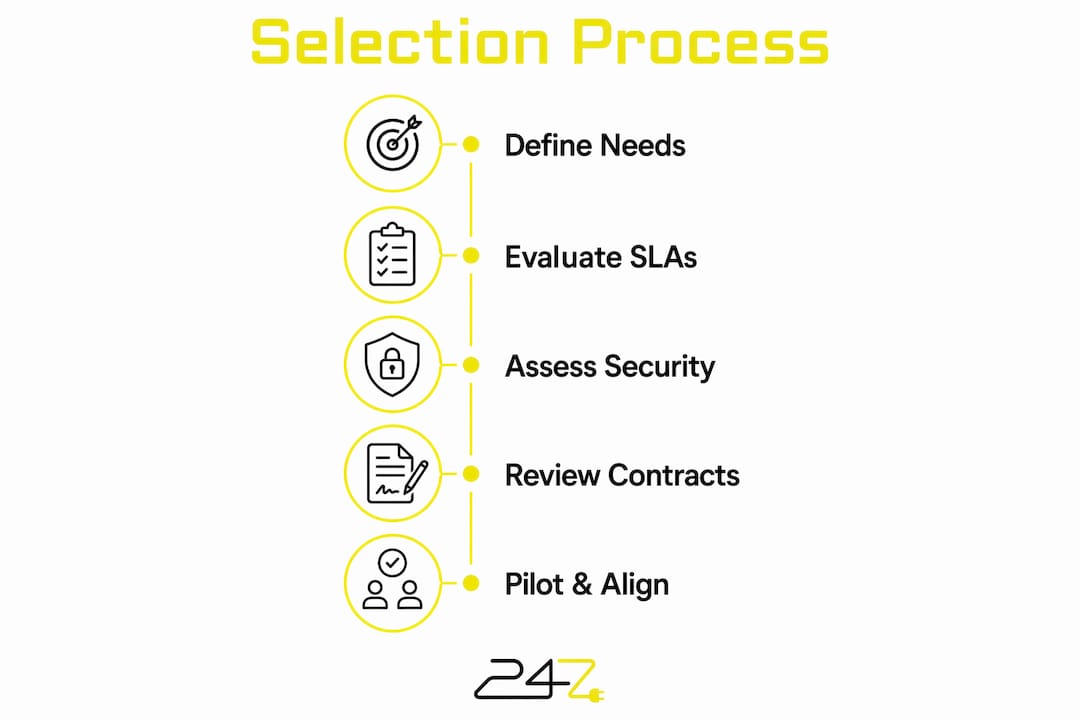
A structured evaluation framework prevents you from choosing a provider based on a polished sales presentation. A tiered MSP evaluation framework that weights response time SLAs and contract flexibility most heavily predicts engagement success. Build a scoring matrix with eight criteria: response time SLAs, security stack depth, certifications, staff size, contract terms, onboarding process, compliance experience, and escalation procedures.
SLA response time standards
SLAs must specify tiered response targets. P1 incidents require under 1 hour, P2 under 4 hours, and P3 under 8 hours. Vague language like “best efforts” or “timely response” scores zero on any credible evaluation matrix. Demand written penalties or service credits for nonperformance. A provider unwilling to accept financial consequences for missing SLAs does not believe in its own delivery capability.
Security capabilities to verify
Security depth separates credible MSPs from commodity IT vendors. Demand transparency about security stacks and require specific details on endpoint detection and response (EDR) tools, automated backup verification, and dark web monitoring. EDR tools detect threats that traditional antivirus misses entirely. Automated verified backups are your last line of defense against ransomware. Any provider that cannot name its EDR platform or describe its backup testing cadence is not running a mature security operation.
Certifications act as independent verification of security and process maturity. Look for ISO 27001, SOC 2, and Cyber Essentials Plus certifications when evaluating providers for small to mid-sized enterprise environments. These certifications require third-party audits, which means the provider has demonstrated its controls to an external examiner, not just claimed them in a brochure.
Staff size and coverage reality
Provider staff size directly determines whether 24/7 coverage is genuine or theoretical. Providers with fewer than 300 staff should face scrutiny about their true capacity for around-the-clock coverage. A 50-person MSP cannot staff a 24/7 operations center with meaningful depth. Ask for the ratio of certified engineers to clients, and ask specifically how overnight and weekend incidents are handled.
Contract terms to scrutinize
Contracts must specify clear roles, incident reporting procedures, liability terms, and access controls to protect your organization. Read every clause about data ownership, subcontractor use, and audit rights. The NCSC recommends treating MSP contract review as a security exercise, not just a legal one.
Pro Tip: Review termination and data portability clauses before you sign. Most MSPs use proprietary documentation systems, and without explicit contract terms, switching providers later can involve costly data extraction and reconfiguration.
What pricing models and contract terms should you consider?
MSP pricing follows four primary structures, and each suits a different business profile. Per-user pricing runs $75–$200 per user per month, per-device pricing runs $50–$150 per device per month, flat-rate pricing covers all services for a fixed monthly fee, and hybrid models combine elements of both. Per-user pricing works best for organizations with many devices per employee. Per-device pricing favors businesses with a high device count but a lean headcount.
The co-managed IT model deserves specific attention for mid-sized organizations. Co-managed IT typically costs $25–$60 per user per month and supplements your internal IT team with outsourced help desk and monitoring. This model delivers the highest ROI for businesses with 75–200 employees that retain internal IT leadership for strategy while outsourcing 24/7 operational tasks. You keep control of architecture decisions. The MSP handles the operational load that burns out internal teams. Learn more about how co-managed IT structures work in practice before pricing conversations.
Watch for these contract terms that create long-term risk:
- Auto-renewal clauses: Some contracts renew automatically for 12-month terms with 90-day notice requirements. Missing that window locks you in for another year.
- Notice period for termination: Target a 30-day termination notice period. Anything longer gives the provider excessive leverage if service quality declines.
- Exit rights on SLA failure: Negotiate the right to terminate without penalty if the provider misses SLA targets for two or more consecutive months.
- Hidden fees: After-hours support, on-site visits, and onboarding are frequently excluded from base pricing and billed separately.
Pro Tip: Ask for a full fee schedule in writing before signing. Request line-item pricing for on-site visits, emergency after-hours calls, and project work. Surprises on invoices are the fastest way to damage an MSP relationship.
How do pilot projects and stakeholder alignment improve your final decision?
Pilots and proofs of concept reduce selection risk by verifying real delivery against marketing assertions. A 30-day limited-scope pilot covering help desk response and a simulated security incident gives you real performance data before a full contract commitment. Define explicit success criteria before the pilot starts. If the provider cannot meet P1 response targets during a controlled test, they will not meet them under production pressure.
A vendor comparison matrix keeps your evaluation objective. Weight each criterion by business priority before you score any provider. Response time SLA and security depth should carry the heaviest weights for most organizations. Contract flexibility and pricing transparency should follow. Scoring providers against a pre-weighted matrix prevents the common failure mode of choosing the vendor with the best sales team rather than the best service.
The following steps prevent the most common selection mistakes:
- Define success criteria before the pilot. Specify what pass and fail look like in writing. Vague pilots produce vague conclusions.
- Verify documentation ownership. Confirm in writing that all network diagrams, configuration files, and runbooks belong to your organization, not the MSP.
- Assess long-term scalability. Ask how the provider has handled client growth from 50 to 200 users. Request a reference from a client who scaled significantly.
- Review the transition plan. A credible provider documents a structured onboarding and offboarding process. Absence of an offboarding plan is a red flag.
- Align all stakeholders before the final decision. Finance, IT, and security must agree on the selected provider and the contract terms before signature.
Pro Tip: Request documentation ownership language as a non-negotiable contract term. Proprietary MSP documentation systems can make switching providers expensive and disruptive if ownership is not explicitly assigned to you.
Key Takeaways
Selecting the right MSP requires defining your requirements, verifying SLA enforceability, assessing security depth, and validating fit through pilots before committing to a contract.
| Point | Details |
|---|---|
| Define requirements first | Align finance, IT, and security on scope, coverage windows, and compliance needs before contacting providers. |
| Enforce hard SLA targets | Require P1 under 1 hour, P2 under 4 hours, and P3 under 8 hours with written penalties for nonperformance. |
| Verify security certifications | Prioritize providers with ISO 27001, SOC 2, or Cyber Essentials Plus and confirmed EDR and backup capabilities. |
| Understand pricing models | Per-user, per-device, flat-rate, and co-managed models each suit different business sizes and IT structures. |
| Protect your exit rights | Negotiate 30-day termination notice, data portability guarantees, and documentation ownership before signing. |
What the selection process actually reveals about your provider
The selection process itself is a diagnostic tool. How a provider responds to detailed SLA questions, contract negotiation, and pilot requests tells you more than their service catalog ever will. Providers that resist hard SLA commitments or push back on documentation ownership clauses are showing you exactly how they will behave when something goes wrong at 2:00 AM on a Sunday.
The finance-IT alignment issue is underestimated. We have seen organizations spend months evaluating providers only to collapse the process in the final week because finance and IT had incompatible expectations about budget and coverage scope. That misalignment was present from day one. It just surfaced too late. Getting those stakeholders into the same conversation before the first vendor call saves significant time and prevents the worst outcome: signing a contract that satisfies neither team.
Co-managed IT is the model most mid-sized organizations should be evaluating in 2026, and most are not. The assumption that you must choose between full outsourcing and keeping everything internal is outdated. The managed IT services benefits for organizations that retain internal strategy leadership while outsourcing 24/7 operations are well-documented. Your internal team stops burning out on overnight alerts. Your MSP handles the operational volume. You keep architectural control.
Vague contracts are the single biggest source of post-signature disputes. The phrase “reasonable efforts” in an SLA is not a commitment. It is a legal escape hatch. Every performance obligation in your contract should have a number attached to it, a measurement method, and a consequence for failure. If your provider’s legal team resists that language, treat it as a disqualifying signal.
Post-selection communication discipline matters as much as the contract. Schedule quarterly business reviews with your MSP from day one. Review SLA performance data, open incidents, and upcoming infrastructure changes. Providers that resist structured reviews tend to let service quality drift after the honeymoon period ends.
— 247techify Team
How 247techify delivers on these selection criteria
247techify was built around the criteria this guide describes, not retrofitted to meet them.

247techify provides 24/7 managed IT support with a documented response time of under 30 minutes, hard SLA commitments, and a cybersecurity-first architecture that includes EDR, dark web monitoring, and automated backup verification. For mid-sized Canadian businesses, 247techify’s co-managed IT plans deliver the operational coverage your internal team needs without surrendering strategic control. Regulated industries including healthcare and finance benefit from documented HIPAA and PCI-DSS compliance expertise. With a 98% client satisfaction rate and transparent pricing, 247techify gives you the contractual clarity and security depth this guide identifies as non-negotiable. Contact 247techify to review your requirements and get a service plan matched to your infrastructure.
FAQ
What is a managed IT services provider?
A managed IT services provider (MSP) is a third-party company that assumes ongoing responsibility for defined IT functions under a formal service level agreement. Services typically include network monitoring, cybersecurity, help desk, cloud management, and compliance support.
What SLA response times should I require from an MSP?
Require P1 critical incidents resolved under 1 hour, P2 high-priority issues under 4 hours, and P3 standard issues under 8 hours, with written service credits for nonperformance.
How much does managed IT services cost?
Per-user pricing typically runs $75–$200 per user per month, per-device pricing runs $50–$150 per device per month, and co-managed IT supplemental coverage runs $25–$60 per user per month depending on scope.
What certifications should an MSP hold?
Look for ISO 27001, SOC 2, and Cyber Essentials Plus certifications. These require third-party audits and confirm that the provider has verified security controls, not just self-reported ones.
What is co-managed IT and who should use it?
Co-managed IT is a model where your internal IT team retains strategic oversight while the MSP handles 24/7 operational tasks like monitoring and help desk. It delivers the highest ROI for organizations with 75–200 employees that have an existing internal IT lead.