
Bring your own device (BYOD) is viable only when paired with enforceable technical controls and a documented risk assessment. That means mobile device management (MDM) or per-app containerization, encryption, multi-factor authentication (MFA), and clear data-ownership rules before a single personal phone touches company email. Without those controls, corporate-owned devices or a limited-access model are the safer path. The next move: run a short risk assessment and pilot before writing a single line of policy.
TL;DR:
- Implementing BYOD requires enforceable technical controls such as encryption, multi-factor authentication, and device management to mitigate risks like data leakage and malware.
- Containerization and limited-access models are suitable for roles with low to medium data sensitivity, while full management is necessary for high-risk roles involving regulated data.
- A comprehensive BYOD policy must clearly define scope, device requirements, acceptable activities, data privacy, and obtain signed employee consent with documentation for legal enforcement.
- Regular audits, automated compliance checks, and a structured onboarding/offboarding process are essential to ensure secure device usage and proper offsite device management.
- For regulated industries, strict controls and detailed documentation are mandatory, and organizations should pair policy with continuous technical enforcement and expert guidance.
Table of Contents
- What Is a Bring Your Own Device Policy and How Does It Work?
- What Are the Real Benefits and Risks of BYOD?
- What Should a BYOD Policy Include?
- What Technical Controls Actually Enforce a BYOD Policy?
- How Do You Onboard and Offboard BYOD Devices Properly?
- How Does BYOD Policy Change for Healthcare, Finance, and Regulated Industries?
- What’s a Realistic Pilot Plan for Rolling Out BYOD?
- A Cybersecurity-First Take on BYOD
- How 247techify Helps You Implement BYOD Without the Guesswork
- Where to Go for Official BYOD Guidance
- Sources
- FAQ
What Is a Bring Your Own Device Policy and How Does It Work?
A bring your own device policy is the formal document that governs how personal smartphones, laptops, and tablets connect to company networks, applications, and data. It defines who can enroll, what security baseline a device must meet, and where the line falls between what the organization can see and what stays private. Done right, it separates two things people often conflate: who owns the device, and who owns the data on it. The employee owns the phone. The company still owns the client records, financial data, or health information that phone can access, and the policy has to say so explicitly.
That distinction drives the deployment model you choose, and there are four you’ll encounter in practice.
- Unmanaged access. Employees use personal devices to check email or a calendar with no software installed and minimal oversight. It’s the fastest to roll out and the weakest from a security standpoint. Fine for a five-person shop with no regulated data. Reckless for anyone else.
- Containerization (MAM). Mobile application management wraps corporate apps and data in an encrypted container separate from personal photos, texts, and apps. The company manages the container; the rest of the phone stays untouched. This model tends to get the highest employee buy-in because it visibly respects privacy.
- Full MDM enrollment. The organization manages the entire device, sets passcode policies, pushes configuration profiles, and can wipe it remotely. It gives IT the most control but also the most legal and privacy exposure, since a full wipe can erase personal photos and messages along with company files.
- Limited-access model. Personal devices reach only non-sensitive systems, like a shared calendar or a general Slack channel, while anything touching client data or financial systems requires a managed device.
The right model depends on role and data sensitivity, not company size. A field sales rep who only needs email and a CRM app is a good MAM candidate. A billing clerk with direct access to payment card data probably shouldn’t be on a personal device at all, no matter how convenient it is. The Cyber Centre’s guidance on BYOD deployment models frames this as a responsibility split: the policy has to spell out where organizational security duties end and where the end user’s begin.
What Are the Real Benefits and Risks of BYOD?
BYOD earns its popularity honestly. Employees work on hardware they already know, which cuts training time and support tickets tied to unfamiliar devices. Companies save on hardware procurement, since they’re not issuing a laptop and a phone to every new hire. And flexibility tends to show up in retention numbers, particularly among younger and remote-first employees who resent being handed a second, clunkier phone just for work email.
The risk side is where most leadership teams underestimate the exposure.
- Data leakage. Corporate files copied to personal cloud storage, forwarded to personal email, or left in an unencrypted photo backup are the single most common BYOD incident, and they usually happen with no malicious intent at all.
- Malware and compromised apps. A personal device with no endpoint protection and a habit of sideloading apps is a much softer target than a company-issued laptop running managed antivirus.
- Inconsistent patching. IT can’t force an employee to install an OS update on their own phone the way it can on a corporate asset, which leaves known vulnerabilities open for weeks or months.
- Privacy conflicts. Employees worry, reasonably, about what IT can see on a device they also use for banking and family photos. Unclear policy language here creates both morale problems and potential legal exposure.
- Shadow IT. When official BYOD access feels too restrictive, employees route around it with unsanctioned apps and file-sharing tools, which is often worse for security than the personal device itself. Our breakdown of shadow IT risks covers how this pattern typically starts.
Deciding whether BYOD makes sense for a given role comes down to three questions: What data can this person touch? What’s the cost of that data leaking? And how much operational overhead can IT actually absorb to manage it? A marketing coordinator with access to social media logins is a low-risk BYOD candidate. A nurse with access to patient records is not, unless the containerization and audit logging are airtight. The NCSC’s BYOD guidance puts it plainly: define your objectives and risk tolerance before picking a deployment model, not after.
What Should a BYOD Policy Include?
A BYOD policy that actually holds up under an audit or a breach investigation needs more than a one-page memo asking employees to “keep their phone secure.” It needs defined scope, enforceable technical minimums, and a signature.
Scope and eligibility. State which roles and departments qualify for BYOD, and which data classes are entirely off-limits for personal devices. Not every employee needs the same level of access, and the policy should say so by name, not by implication.
Device and OS requirements. Specify supported operating systems and minimum versions. A significantly outdated Android phone running an unsupported OS shouldn’t pass enrollment, and the policy needs to say that explicitly rather than leaving it to IT’s discretion in the moment.
Minimum security settings. This is the technical backbone of the document. At minimum, require:
- Full-disk encryption enabled on the device
- A screen lock passcode of at least six characters, per Cyber Centre recommendations
- Biometric or MFA enrollment for accessing corporate apps
- Automatic OS and security patch installation within a defined window
Acceptable use and prohibited activities. Spell out what’s banned: jailbroken or rooted devices, copying corporate files to personal cloud storage, using public Wi-Fi without a VPN for sensitive systems, and installing apps from unverified sources.
Data ownership and privacy disclosures. This is the section most policies get wrong or skip entirely. Employees need to know, in plain language, exactly what the company can see, log, or remove from their device, and what stays untouched.
Support and liability boundaries. Clarify whether IT will troubleshoot personal device issues unrelated to work apps, who pays for repairs if a device breaks during work use, and whether the company reimburses a data plan or device cost.
Disciplinary measures. State what happens if an employee violates the policy, from a formal warning to loss of BYOD privileges to termination for serious violations involving regulated data.
None of this matters without a signed employee acceptance. A verbal agreement or an email acknowledgment isn’t enforceable if you later need to justify a remote wipe or a disciplinary action. Practices vary by organization, but a written, timestamped consent form collected through an auditable system, not a forwarded PDF nobody tracks, gives you the evidence you need if a dispute or a breach investigation ever lands on your desk. Without it, the Cyber Centre notes, an organization has no real legal footing to enforce the controls it wrote down. Common BYOD policy building blocks, according to Okta’s implementation guidance, include approved device lists, lost-device protocols, and formal offboarding steps, and all three need to trace back to that same signed acceptance.
If your organization handles client records or financial data, pair this section with a clear statement on client data confidentiality so employees understand exactly what’s at stake when a personal device is involved.
What Technical Controls Actually Enforce a BYOD Policy?
A written policy without technical enforcement is a wish list. The controls below are what turn “employees must encrypt their devices” from a suggestion into something IT can actually verify.
MDM, EMM, and MAM: choosing the right level of control. Full MDM gives IT device-wide management: configuration profiles, remote wipe, app whitelisting. It’s the strongest option but the most privacy-invasive, since a factory reset wipes personal data along with corporate files. MAM, by contrast, manages only the corporate app and its data container, leaving the rest of the device alone. For most BYOD programs outside of highly regulated industries, MAM or EMM (enterprise mobility management, a middle tier that manages apps and some device settings without full control) hits the right balance between security and employee trust.
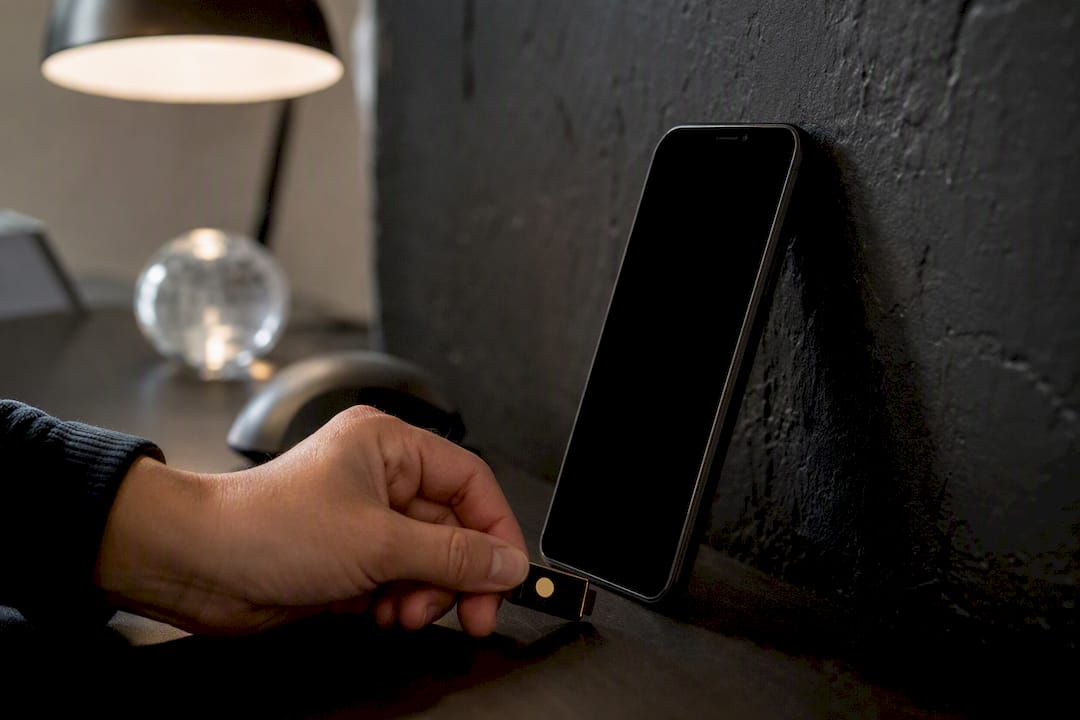
Identity controls. MFA should be non-negotiable for any corporate app accessed from a personal device. Layer in single sign-on (SSO) so employees aren’t juggling five separate logins, and use conditional access policies that check device compliance status before granting entry, blocking access automatically if a phone hasn’t been patched in 90 days, for instance. Certificate-based authentication adds another layer, letting the network trust a specific enrolled device rather than just a password.
Network segmentation. Personal devices should never sit on the same network segment as servers holding financial or health records. A dedicated BYOD VLAN, combined with per-app VPN tunnels that route only corporate traffic through the secure tunnel while personal browsing goes straight to the internet, keeps risk contained without slowing down an employee’s Netflix habit. Split tunneling like this is exactly the kind of configuration NIST’s example BYOD solution recommends to protect both corporate data and employee privacy simultaneously. Our network security checklist for small business walks through VLAN segmentation in more detail if you’re building this from scratch.
Endpoint protections. Beyond encryption and patch checks, mobile threat defense (MTD) software flags malicious apps and suspicious network behavior in real time. Deny enrollment outright for rooted or jailbroken devices, since those modifications disable the security sandboxing the entire BYOD model depends on. Selective wipe capability, removing only corporate data and leaving personal photos and messages untouched, is what makes offboarding legally and practically workable. NIST’s guidance treats this as essential to preserving employee privacy while still letting the company reclaim its data.
Automated posture checks and remediation. Manual compliance checks don’t scale past a handful of devices. Set up automated posture scans that run daily, flagging any device that falls out of compliance, missed patch, disabled encryption, expired certificate, and trigger an automatic remediation workflow: a notification to the employee, a grace period, then a block from corporate resources if the issue isn’t fixed.
Key controls at a glance:
- MDM/MAM enrollment matched to role sensitivity
- MFA and conditional access on every corporate app
- Network segmentation via BYOD VLAN or per-app VPN
- Full-disk encryption and automated patch verification
- Selective wipe capability tested before go-live, not after an incident
Pairing these controls with endpoint protection strategies built for mixed-device environments closes most of the gaps a basic MDM rollout leaves open.
How Do You Onboard and Offboard BYOD Devices Properly?
Getting a device enrolled correctly is only half the job. Getting it disenrolled cleanly, without a legal dispute or a data leak, is the half most organizations skip.
Onboarding steps:
- Collect the device identifier (serial number or IMEI) and confirm it meets the OS and hardware baseline defined in the policy.
- Install the MDM or MAM agent and walk the employee through initial setup, ideally with IT present or on a support call.
- Run an automated posture check to confirm encryption, screen lock, and patch level meet the minimum standard before granting access.
- Collect signed acceptance of the BYOD agreement through an auditable system, not an email thread that disappears into someone’s inbox.
- Log the enrollment timestamp, device details, and consent form in a central record, ideally the same system generating your MDM logs.
What to keep on file: MDM enrollment logs, the signed acceptance form, and a device posture snapshot taken at enrollment. These three artifacts are what an auditor or a lawyer will ask for if a dispute ever comes up, and reconstructing them after the fact is far harder than capturing them at the moment of onboarding.
Offboarding steps deserve just as much rigor, and this is where most BYOD programs quietly fail. When an employee leaves or a device is decommissioned:
- Revoke network and application access immediately, ideally the same day as the employee’s departure.
- Trigger a selective wipe that removes corporate apps, files, and configuration profiles while leaving personal photos, texts, and apps untouched.
- Revoke any device-specific certificates used for authentication so the device can no longer connect even if the wipe fails or is delayed.
- Record the action with a timestamp in the MDM console, creating an audit trail that shows exactly when access was cut off.
Written, signed consent for selective wipe should be captured at enrollment, not requested after the fact when an employee is already walking out the door. That consent, paired with a timestamped MDM record, is the evidence you need if an offboarded employee later disputes what was removed from their device.
How Does BYOD Policy Change for Healthcare, Finance, and Regulated Industries?
Regulated industries don’t get to run a generic BYOD policy. The data class dictates the controls, and in some cases, it dictates whether personal devices are allowed at all.
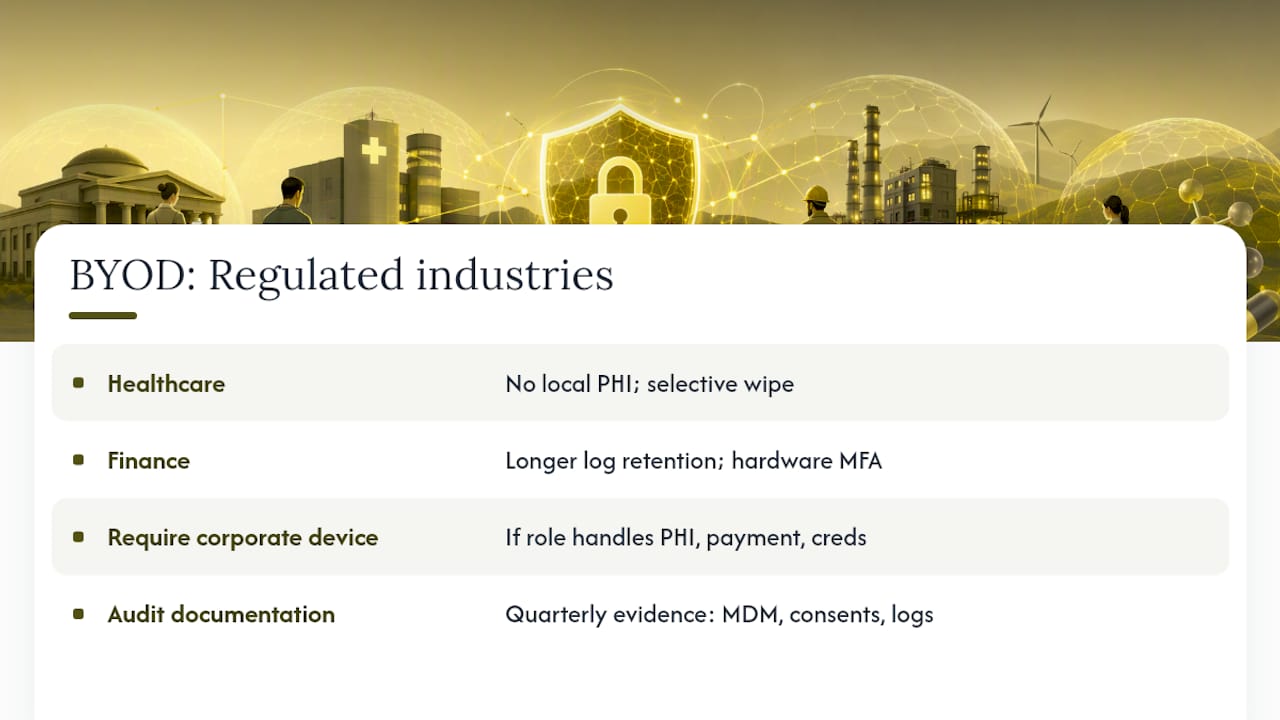
Healthcare. Personal devices should never store protected health information (PHI) locally, full stop. Any app touching patient records needs to keep that data in a managed container with no local caching, and the organization needs explicit, documented authority to perform a selective wipe if a device is lost or an employee departs. Additional audit logging, tracking every access to a patient record, not just every login, is typically required to satisfy HIPAA-aligned obligations. According to Indeed’s overview of BYOD policy variation by industry, healthcare organizations commonly need policy addenda that go well beyond a standard template.
Finance. Access logs need longer retention windows than a typical business policy requires, and MFA enforcement tends to be stricter, often requiring a hardware key or certificate-based authentication rather than a simple SMS code. Any BYOD device touching payment card data needs to map its controls directly to PCI-DSS requirements, which in practice often means that role shouldn’t be on a personal device at all. Our guide to IT compliance standards for financial services covers what those mapped controls look like in practice.
When to require corporate devices instead. If a role touches payment data, patient records, or privileged system credentials, the honest answer is often that BYOD isn’t worth the exposure. A corporate-issued, fully managed device costs more upfront but removes the ambiguity around consent, ownership, and wipe authority that makes regulated BYOD so legally fraught.
Documentation for audits. Build a quarterly evidence pack: MDM enrollment records, signed consent forms, posture check snapshots, and a log of any remediation actions taken. Reviewing your organization’s obligations under Canadian data privacy law before finalizing this section helps ensure the evidence you’re collecting actually satisfies PIPEDA-related disclosure requirements, not just internal policy.
What’s a Realistic Pilot Plan for Rolling Out BYOD?
Skipping the pilot is the most common mistake in BYOD rollouts. Organizations write the policy, buy the MDM license, and enroll everyone at once, then spend the next six months firefighting compliance gaps that a small pilot would have caught in week two.
Run the pilot with a defined group of eligible employees across a few departments, over several weeks. Set clear objectives going in: validate enrollment efficiency, confirm posture checks catch noncompliant devices, and test selective wipe on test devices before it touches anyone’s actual phone. Define stop and go criteria upfront. If many pilot devices fail initial compliance checks, fix the onboarding process before scaling.
Training has to run alongside the technical rollout, not after it. A short enrollment walkthrough, ideally recorded so new hires can reference it later, paired with a phishing awareness refresher, catches most of the human-error risk before it becomes an incident. Our employee cybersecurity training framework outlines a cadence that pairs well with a BYOD pilot timeline.
Track these metrics from day one of the pilot and keep tracking them after full rollout:
| Metric | What it tells you | Review cadence |
|---|---|---|
| Device compliance rate | Percentage of enrolled devices passing automated posture checks | Weekly |
| Incidents attributable to BYOD | Count of security events traced to a personal device | Monthly |
| Mean time to remediate noncompliance | How fast a flagged device gets fixed or blocked | Weekly |
| Enrollment completion time | Average time from device ID collection to full access grant | Per pilot cohort |
Governance doesn’t end at launch. Set a review interval, quarterly is a reasonable default, where IT leadership and a senior stakeholder revisit the policy against new threats, new device types, and any incidents from the prior quarter. Version-control the policy document itself so you can show an auditor exactly what changed and when, and require senior-management sign-off on any material revision. A policy nobody revisits becomes outdated within a year, and outdated BYOD controls are functionally the same as having none.
A Cybersecurity-First Take on BYOD
Most BYOD guidance treats the policy document as the finish line. It isn’t. The policy is the easy part. What actually determines whether BYOD makes an organization safer or more exposed is whether the technical controls behind it are enforced automatically, verified continuously, and documented well enough to survive an audit or a lawsuit.
A managed approach earns its keep here specifically because BYOD enforcement isn’t a set-it-and-forget-it task. MDM profiles drift out of compliance. Certificates expire. Employees update their phones and lose a configuration in the process. Conditional access policies need constant tuning against new threat patterns, and someone has to be watching the monitoring dashboard when a device falls out of compliance at 11 p.m. on a Friday. 247techify’s approach treats that monitoring and evidence retention as core infrastructure work, not an afterthought bolted onto a general IT contract, backed by 24/7 support and a response time under 30 minutes when something goes wrong.
For organizations in regulated industries, the calculation shifts even further toward a managed model. Compliance experience with frameworks like HIPAA and PCI-DSS isn’t something most internal IT teams build overnight, and getting it wrong on a BYOD rollout means audit findings, not just a support ticket. Small and mid-sized businesses without a dedicated security team, and larger regulated organizations that need co-managed oversight without giving up internal control, tend to see the fastest return from bringing in that expertise before the pilot starts, not after an incident forces the issue.
The uncomfortable truth is that most BYOD failures aren’t technology failures. They’re governance failures: a policy nobody updated, a signed form nobody could locate, a wipe that never got documented. Fix the evidence trail first, and the technology tends to follow.
— 247techify Team
How 247techify Helps You Implement BYOD Without the Guesswork
Building a BYOD program that holds up under audit means getting the MDM deployment, conditional access rules, and endpoint protection configured correctly the first time, and keeping them that way as devices and threats change. 247techify handles that as part of its cybersecurity-first managed IT services, covering MDM and EMM rollout, conditional access policy tuning, and endpoint protection tailored to a mixed fleet of personal and corporate devices.

If your organization handles regulated data, our compliance auditing services build the evidence packaging auditors actually ask for, so your BYOD program doesn’t just look compliant, it can prove it. For businesses that want to keep some policy control in-house while outsourcing the monitoring and enforcement heavy lifting, our co-managed IT services split that work in a way that fits existing internal teams.
The fastest way to find out where your current setup stands is a short risk assessment and pilot engagement, the same two steps this article opened with. Reach out to 247techify to scope that assessment and get your BYOD rollout built on documented controls from day one.
Where to Go for Official BYOD Guidance
- The Cyber Centre’s BYOD deployment guidance covers technical controls and the organization-versus-user responsibility split in the most detail.
- NIST Special Publication 1800-22 offers an example technical solution built on commercially available products, useful for architecture decisions.
- The NCSC’s BYOD collection is strongest on the policy-and-planning side, particularly balancing usability with data protection.
- Okta’s BYOD policy overview is a practical reference for policy language and common clause structures.
- BeyondSensor’s write-up on security implementation pitfalls is worth a read before finalizing your rollout plan.
Sources
- End user device security for Bring-Your-Own-Device (BYOD) deployment models - ITSM.70.003
- NIST Special Publication 1800-22: Example solution for BYOD
- Bring your own device (BYOD) — National Cyber Security Centre
- BYOD policy best practices — Okta
FAQ
Is BYOD risky?
BYOD carries real risk, primarily data leakage, inconsistent patching, and malware exposure, but those risks are manageable with MDM or MAM enrollment, encryption, and MFA enforced from day one.
Is bring your own device a good idea for a small business?
It can be, particularly for roles without access to regulated or financial data, since it cuts hardware costs and speeds onboarding. For any role touching sensitive data, a limited-access model or corporate device is usually the safer call.
What are the disadvantages of BYOD in the workplace?
The main disadvantages are inconsistent security patching across employee-owned devices, higher risk of data leakage through personal apps or cloud storage, and added complexity for IT support and compliance documentation.
What should be included in a BYOD policy?
A solid policy covers scope and eligibility, minimum device security requirements, acceptable use rules, data ownership and privacy disclosures, support and liability terms, and a signed employee acceptance form that’s stored in an auditable system.