
Hardware lifecycle management (HLM) is the structured discipline of tracking every physical IT asset through five stages: planning, procurement, deployment, operation and maintenance, and retirement or disposal. Done well, it cuts wasted spend, shrinks your attack surface, and produces the audit trail regulators expect. The first move, before anything else: confirm you have one inventory system of record and a written refresh policy. If either is missing, everything downstream is guesswork.
TL;DR:
- Focusing only on calendar replacement cycles risks wasting money on healthy hardware and prolonging unsupported equipment, increasing security breaches.
- Maintaining a single, reconciled inventory system and automating lifecycle actions through HR triggers reduces missing devices, overspending, and data security gaps.
- Using condition signals like battery health and vendor end-of-support notices improves planning accuracy over rigid three- to five-year hardware refresh intervals.
- A managed IT service can continuously oversee inventory, deployment, patching, and disposal, ensuring an audit trail that meets compliance standards.
- Regular lifecycle audits, automated alerts, and KPIs like recovery time and patch SLA compliance help prevent drift and keep hardware security and efficiency optimized.
Table of Contents
- What Is Hardware Lifecycle Management, Exactly?
- Why Does Hardware Lifecycle Management Matter for Cost and Security?
- What Are the Five Stages of Hardware Lifecycle Management?
- How Long Should Hardware Actually Last?
- What Best Practices Keep Hardware Lifecycle Management Repeatable?
- Which Tools Actually Automate This Process?
- How Does a Managed IT Partner Operationalize This?
- Why Lifecycle Governance Has to Be Continuous, Not Cyclical
- Get Lifecycle Management Off Your Spreadsheet
- Sources
- FAQ
What Is Hardware Lifecycle Management, Exactly?
Hardware lifecycle management governs the physical side of your technology estate: laptops, servers, switches, firewalls, printers, and every peripheral in between. It’s a subset of the broader discipline of IT asset management, which also covers software licensing and contract governance. Think of ITAM as the umbrella and HLM as the branch dealing strictly with what you can physically touch, ship, wipe, or scrap.
The relationship matters because most organizations track hardware in a spreadsheet and software in a different system, then wonder why the two never reconcile. A configuration management database (CMDB) tied to your IT service management (ITSM) platform solves that by giving every asset one authoritative record from purchase order to disposal certificate.
Getting this right produces three concrete outcomes:
- Auditability: every device has a traceable ownership and status history, which matters enormously when a compliance auditor or insurer asks who had access to a specific machine.
- Reduced technical debt: fewer unsupported, unpatched devices lingering past their useful life.
- Lower total cost of ownership: purchasing, maintenance, and disposal decisions get made on data instead of habit.
Why Does Hardware Lifecycle Management Matter for Cost and Security?
Weak lifecycle discipline shows up first in the budget. Departments that don’t share visibility into existing inventory tend to duplicate purchases, and IT teams without a refresh policy replace hardware on a fixed calendar rather than actual need, burning capital on machines that still had two good years left.
The security case is sharper. The Canadian Centre for Cyber Security notes that operation and maintenance is the most resource-intensive phase of the entire lifecycle, precisely because unpatched or forgotten devices are where breaches start. A laptop nobody tracks is a laptop nobody patches, and a server past its end-of-support date is running known, exploitable vulnerabilities with no vendor fix coming.
Compliance ties both threads together. Frameworks like HIPAA and PCI-DSS don’t just require that data get destroyed. They require proof: certified IT asset disposition (ITAD) records, chain-of-custody documentation, and a closed audit trail showing exactly when and how each device left the fleet. Without that paperwork, a clean disposal looks, on paper, identical to a data breach waiting to be discovered.
What Are the Five Stages of Hardware Lifecycle Management?
Each stage has its own owner, controls, and handoff point to the next. Skipping the handoff, not the stage itself, is where most programs break down.
-
Planning. Define the requirement before you shop: performance specs, security baseline (disk encryption, TPM chip, minimum firmware version), and the budget envelope. This is also where you set refresh criteria in writing, so procurement isn’t negotiating case-by-case a year later.
-
Procurement. Negotiate warranty length, support SLAs, and whether leasing or outright purchase fits the asset class better. Leasing tends to suit laptops and desktops that need predictable three-year refresh cycles; buying outright often makes more sense for infrastructure with a longer useful life. Every purchase order should trigger an asset record and physical tag before the device ships to a desk.
-
Deployment. This stage is short but disproportionately important for security. Image the device against your enforced baseline, enroll it through zero-touch provisioning where possible, and register it in your CMDB or ITAM platform before it reaches the end user. A rigorous initial configuration here prevents vulnerabilities that would otherwise persist for years.
-
Operation and maintenance. The longest and most demanding stage. It covers patch cadence, endpoint monitoring, help desk ticketing tied back to the asset record, and the recurring repair-versus-refresh decision every time a device fails. This is where most of your lifecycle budget and staff time actually goes.
-
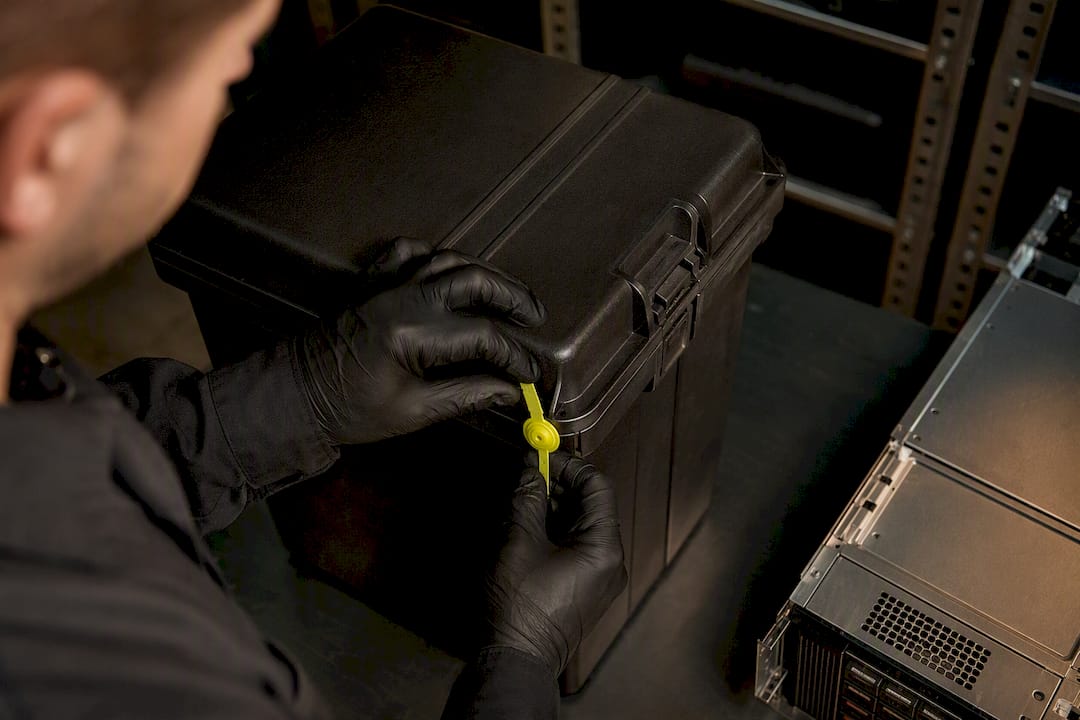
Retirement and disposal. Wipe the device to a certified data sanitization standard, unenroll it from your identity and mobile device management systems, and route it to a certified ITAD partner. Close the audit trail with a disposal certificate. Two failures show up constantly here: devices get wiped but never unenrolled, silently consuming licenses for months, or they get disposed of without certified destruction, which is an audit failure waiting to surface. Both steps have to complete, and both need a paper trail, as device lifecycle guidance from Josys points out.
Pro Tip: Tie retirement triggers to HR offboarding, not to IT tickets. If a device action only happens when someone remembers to open a ticket, you’ve built a recovery gap that outlasts the employee’s last day by weeks.
How Long Should Hardware Actually Last?
Calendar-based replacement (swap everything every three years, no exceptions) is easy to budget but wastes money on healthy hardware and occasionally keeps failing hardware too long. Reference ranges work better as planning inputs than as hard rules, and InvGate’s lifecycle research offers reasonable starting benchmarks:
- Laptops and desktops: 3 to 5 years, driven largely by battery degradation and OS compatibility.
- Servers: 5 to 7 years, constrained more by vendor end-of-support dates than raw performance.
- Networking equipment (switches, routers, firewalls): 5 to 8 years, often extended until a security or capacity requirement forces the issue.
- Peripherals (monitors, docks, printers): highly variable, often 5+ years, since failure is the more common trigger than obsolescence.
The smarter approach layers condition-based signals on top of these ranges: battery health readouts, performance telemetry, and vendor end-of-support (EOS) notices. A laptop at year three with a battery holding 60% of original capacity is a stronger replacement candidate than a four-year-old machine still running at 95%. Vendor EOL dates should override the calendar entirely. Keeping a server two extra years to save on capital spending costs far more once you factor in the security exposure of running unsupported firmware.
What Best Practices Keep Hardware Lifecycle Management Repeatable?
Governance is what separates a lifecycle policy that exists on paper from one that actually runs itself. Four practices do most of the work.
One inventory, one owner. A single CMDB or asset register, reconciled against network discovery scans, is non-negotiable. Split inventories across departments or spreadsheets guarantee gaps, and gaps are where devices go missing for years. A managed inventory and lifecycle service exists specifically to keep this record current without dedicating internal headcount to it full time.
HR-triggered workflows. Lifecycle actions should fire off joiner, mover, and leaver events, not wait for IT to notice. When device state is decoupled from HR identity events, the offboarding window becomes the largest single recovery and data-exposure gap in the entire program, a pattern Josys’s device lifecycle research documents repeatedly.
KPIs that actually get tracked. A handful of metrics tell you whether the program works:
- Percentage of devices recovered within a set window (say, 10 business days) of a leaver event
- Percentage of fleet patched within SLA
- Mean time to repair (MTTR) for hardware failures
- Refresh cost per asset, tracked against the benchmark ranges above
Automated alerts. Warranty expirations and end-of-life dates should generate alerts automatically rather than surface as surprises. Manual tracking of hundreds of warranty dates across a mixed fleet is where retirement decisions get made too late, often right after a failure rather than ahead of one.
Pro Tip: Set your warranty alert threshold at 90 days before expiration, not 30. That gives procurement enough runway to negotiate a renewal or plan a refresh instead of scrambling.
Which Tools Actually Automate This Process?
Four tool categories cover most of what a lifecycle program needs, and the gap between them is usually where lifecycle records go stale.
Discovery and reconciliation tools scan the network for connected assets and flag anything not already logged in the CMDB. Non-networked peripherals still need manual tagging, but everything with an IP address should be self-reporting.
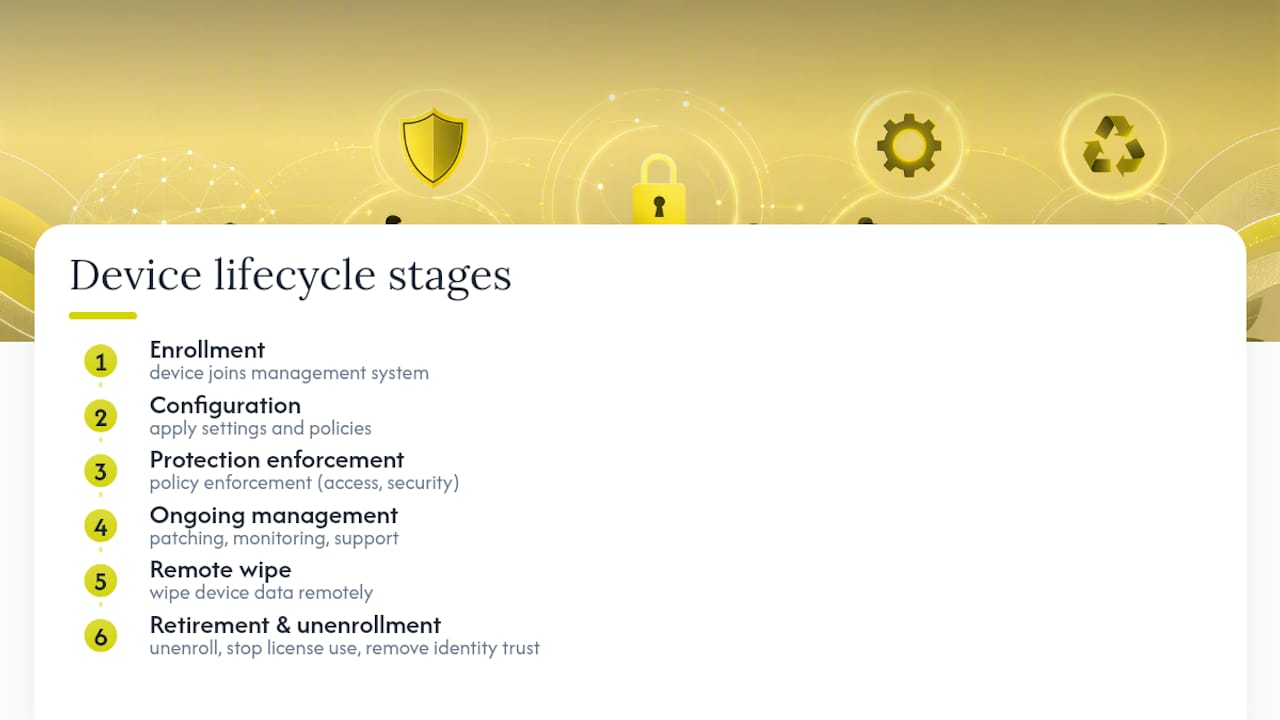
MDM and UEM platforms handle the in-service stretch of the lifecycle. Microsoft Intune’s device lifecycle model is a useful reference: enrollment, configuration and protection policy enforcement, ongoing management, then retirement through remote wipe and unenrollment. That last step matters more than it sounds. A wiped device still enrolled in your identity system keeps consuming a license and, worse, can retain conditional access trust it should no longer have.
ITSM and CMDB integration ties every incident, change request, and repair ticket back to a specific asset record, which is what makes MTTR and patch-SLA reporting possible in the first place. Atlassian’s asset management lifecycle guidance frames this single source of truth as the backbone the rest of the program depends on.
ITAD partners need to be vetted for certified destruction standards and willingness to issue disposal certificates, not just picked on price.
The single biggest audit failure in hardware lifecycle programs isn’t a missing device. It’s a device that was wiped correctly but never unenrolled, or disposed of correctly but never certified. The action happened; the record didn’t.
How Does a Managed IT Partner Operationalize This?
A managed IT provider can run hardware lifecycle management as a continuous managed function rather than a once-a-year cleanup project, maintaining a reconciled inventory that feeds enrollment, patch cadence, and disposal workflows to keep device status current rather than reconstructed after the fact.
Some managed IT providers operate with a cybersecurity-first model, treating lifecycle actions as security events rather than just logistics. Devices coming off lease or heading to disposal are handled with rigor similar to new hires’ laptop enrollment. This consistency is particularly important for regulated clients in healthcare and finance, where experience with HIPAA and PCI-DSS compliance influences how disposal records are documented.
Why Lifecycle Governance Has to Be Continuous, Not Cyclical
Most organizations treat hardware lifecycle management as a project: audit the fleet, write the policy, revisit in two years. That cadence guarantees drift. Devices get added between audits, employees leave without offboarding triggers firing, and warranty windows close unnoticed. The programs that actually hold up treat every stage as a live, measured process tied directly to security posture, not an annual paperwork exercise.
If you take one action from this, audit your current inventory against what’s actually plugged in, then pilot a managed approach on a subset of devices and measure recovery time and patch SLA compliance before rolling it fleet-wide.
— 247techify Team
Get Lifecycle Management Off Your Spreadsheet
247techify replaces the spreadsheet-and-sticky-note approach to hardware tracking with a managed inventory that stays current automatically, so warranty alerts, patch cycles, and disposal records don’t depend on someone remembering to update a file.

The service covers the parts of the lifecycle that eat the most internal time: device enrollment and configuration at deployment, patch management through operation and maintenance, and coordination with certified ITAD partners at retirement, with a documented audit trail at every step. For organizations in regulated industries, that trail is the difference between a clean compliance review and a scramble to reconstruct disposal records after the fact.
If your current process relies on quarterly spot checks or a shared spreadsheet nobody fully trusts, start with a lifecycle audit. 247techify’s managed IT services team can assess your existing inventory, flag devices approaching end-of-support, and scope a 30-day pilot before you commit to a fleet-wide rollout.
Sources
- Using information technology asset management (ITAM) to enhance cyber security - ITSM.10.004 (Canadian Centre for Cyber Security)
- Device lifecycle in Microsoft Intune - Microsoft Learn
- Asset management lifecycle (Atlassian)
FAQ
What Are the Main Stages of the Hardware Lifecycle?
The five stages are planning, procurement, deployment, operation and maintenance, and retirement or disposal, each with distinct owners and handoff points.
What Is an Example of Hardware Lifecycle Management in Practice?
A laptop moves from a documented spec and budget (planning), through a leased purchase with a three-year warranty (procurement), zero-touch enrollment into an MDM platform (deployment), regular patching and repair decisions (operation), and finally certified wiping and ITAD disposal with a closed audit record (retirement).
What Are the Five Key Stages of Asset Lifecycle Management?
They mirror the hardware lifecycle: plan, acquire, deploy, operate and maintain, then retire, with the CMDB or asset register acting as the single source of truth across all five.
How Often Should Companies Refresh Laptops and Servers?
Laptops typically run 3 to 5 years and servers 5 to 7 years as planning benchmarks, but condition signals like battery health, performance, and vendor end-of-support dates should override a fixed calendar.
Can a Managed IT Provider Handle Hardware Lifecycle Management for Us?
Yes. A managed provider like 247techify can run inventory tracking, device enrollment, patch cadence, and certified disposal as ongoing services, which removes the burden of maintaining lifecycle records internally.