
The 3-2-1 backup rule means keeping three total copies of your data, on two different types of media, with one copy off-site. It remains a sound baseline, but on its own it no longer stops modern ransomware, which actively hunts down connected backups before encrypting production data. Businesses need to modernize the rule with an immutable or air-gapped copy and verified restore testing. The checklist below shows exactly how.
TL;DR:
- Three copies of data are necessary, but modern ransomware can target connected backups, so immutability or air-gapping is essential for off-site copies.
- Diverse media types should include a different vendor or cloud region to prevent simultaneous failures, not just a physical separation.
- Off-site backups must be geographically and logically separate from primary systems, avoiding mere local drives or sync services like OneDrive.
- Continuous restore testing with automated verification is crucial to confirm backups are recoverable and to identify errors promptly.
- Implementing immutable or air-gapped copies and verifying recoverability is vital, especially for regulated industries managing sensitive or critical data.
Table of Contents
- What the 3-2-1 Backup Rule Actually Means
- Mapping 3-2-1 to Real Systems, Including Microsoft 365
- Why 3-2-1-1 and 3-2-1-1-0 Now Matter More Than the Original Rule
- A Step-by-Step Checklist for Implementing 3-2-1-1-0
- Testing and Verification: Where Most Backup Plans Actually Fail
- Common Mistakes That Quietly Break a 3-2-1 Strategy
- How 247techify Approaches Modern Backup Architecture
- Should You Build This Yourself or Bring in Help?
- Backup architecture only works when someone is actually watching it, testing it, and documenting it, not just configuring it once and hoping. Managed backup and disaster recovery with 24/7 monitoring, automated restore testing, and RTO/RPO targets mapped per workload, backed by a rapid incident response time when something does go wrong, is essential.
- Where to Read More on Backup Standards and Ransomware Defense
- Sources
- FAQ
What the 3-2-1 Backup Rule Actually Means
Photographer Peter Krogh formalized the 3-2-1 backup rule in the mid-2000s to protect irreplaceable image files, and the Cybersecurity and Infrastructure Security Agency (CISA) now treats it as a canonical resilience standard. The math behind it is simple, but each number carries a specific job.
- Three copies means your live data plus two backups, not one. A single backup is a coin flip; two independent copies mean two things have to fail at once before you lose everything.
- Two media types protects against a failure mode wiping out every copy at once, like a NAS controller dying or a bad firmware update. Pair a local disk or NAS with cloud object storage, or add tape or immutable object storage as a second tier.
- One off-site copy has to be genuinely separate, geographically and logically, from your primary site and network. A backup sitting on a second drive in the same server rack does not count, even if it is technically a “different” copy.
Here is where most people trip: cloud sync tools like OneDrive or Dropbox are not backups. Sync mirrors changes in near real time, including deletions and ransomware encryption. A true backup takes a point-in-time snapshot you can roll back to, independent of whatever just happened to the live files.
Mapping 3-2-1 to Real Systems, Including Microsoft 365
How this plays out depends heavily on scale. A home user might get away with an external drive plus a cloud backup service. A regulated business managing patient records or financial data needs a layered architecture with clear ownership at each tier.
- Primary/production copy — the live data on your workstation, server, or SaaS tenant. This is not a backup; it is copy one by definition.
- Local or near-line backup — a NAS, backup appliance, or on-premises disk target that handles fast, frequent restores for accidental deletions or single-file recovery.
- Off-site or cloud backup — a geographically separate copy, ideally with a different provider or region than your primary infrastructure, satisfying the off-site and media-diversity requirements at once.
Microsoft 365 deserves its own call-out because so many businesses assume Microsoft is already backing up their email and files. It isn’t, not in the way 3-2-1 requires. Microsoft’s native retention and recycle bin policies exist to support compliance holds and short-term recovery, not disaster recovery from ransomware or an accidental bulk deletion. A proper Microsoft 365 architecture looks like this: the live tenant as copy one, a third-party backup platform capturing Exchange, SharePoint, OneDrive, and Teams data as copy two, and an immutable, off-site retention tier as copy three. Skipping that third-party layer is one of the most common gaps found when auditing new clients’ environments.
Why 3-2-1-1 and 3-2-1-1-0 Now Matter More Than the Original Rule
Ransomware changed the threat model the original 3-2-1 rule was built for. Attackers now specifically target connected backups before triggering encryption, which means a backup reachable from the same network as production data is a liability, not a safety net. That is why industry guidance increasingly frames a network-accessible backup as a single point of failure unless at least one copy is immutable or air-gapped.
3-2-1-1 adds one immutable or air-gapped copy to the original formula. 3-2-1-1-0 goes further, requiring zero errors on recovery, verified through automated, regularly scheduled restore tests rather than a hopeful assumption that backups “probably work.”
- Immutability options include Amazon S3 Object Lock, Azure immutable blob storage, and WORM (write once, read many) tape, each of which locks data against modification or deletion for a set retention window, even by an administrator.
- Air-gapping means a copy is physically or logically disconnected from the network by default, only connecting briefly during backup windows.
- The “zero” in 3-2-1-1-0 refers to zero recoverable errors confirmed through automated verification, not zero backup failures during the job itself.
Pro Tip: If your backup software can restore a test file automatically and log the result without a human clicking anything, you have real verification. If someone has to remember to check, you have a hope, not a process.
You can read more about how immutable storage fits into a broader ransomware defense in 247techify’s guide to immutable backups.
A Step-by-Step Checklist for Implementing 3-2-1-1-0
Building this out in the right order saves you from redesigning your backup architecture six months in.
- Inventory every workload first. List systems, file shares, databases, and SaaS platforms, then assign a recovery time objective (RTO) and recovery point objective (RPO) to each before choosing any backup tool.
- Choose diverse media on purpose. Combine at least two distinct storage types, and where budget allows, use a different vendor or cloud region for the off-site copy than you use for anything else.
- Set cadence and retention by workload criticality. A finance database might need hourly snapshots; a shared drive of reference documents might only need daily backups.
- Add the immutable or air-gapped tier. This is the copy ransomware cannot touch, even with domain administrator credentials.
- Restrict administrative access to backup systems. Use separate credentials for each backup target rather than reusing domain admin accounts, and centralize logging so unusual access attempts get flagged.
- Document recovery procedures in a runbook. Include exact restore steps, who owns each system, and expected recovery windows.
- Store essential recovery secrets offline. Passwords, certificates, and encryption keys needed for recovery should live somewhere accessible even if your primary network is compromised, a point AvePoint’s guidance on backup architecture emphasizes directly.
Pro Tip: Vendor diversification isn’t paranoia. The Canadian Centre for Cyber Security notes that spreading backups across providers and regions limits the blast radius when one vendor has an outage or a breach.
Testing and Verification: Where Most Backup Plans Actually Fail
An untested backup is a theory, not a plan. Before you can test meaningfully, you need to know your targets: RTO measures how fast you must be back online, and RPO measures how much data loss, measured in time, you can tolerate. Document both per workload before setting backup cadence, since misaligned RPO and backup frequency is one of the quieter ways backup strategies fail without anyone noticing until disaster hits.
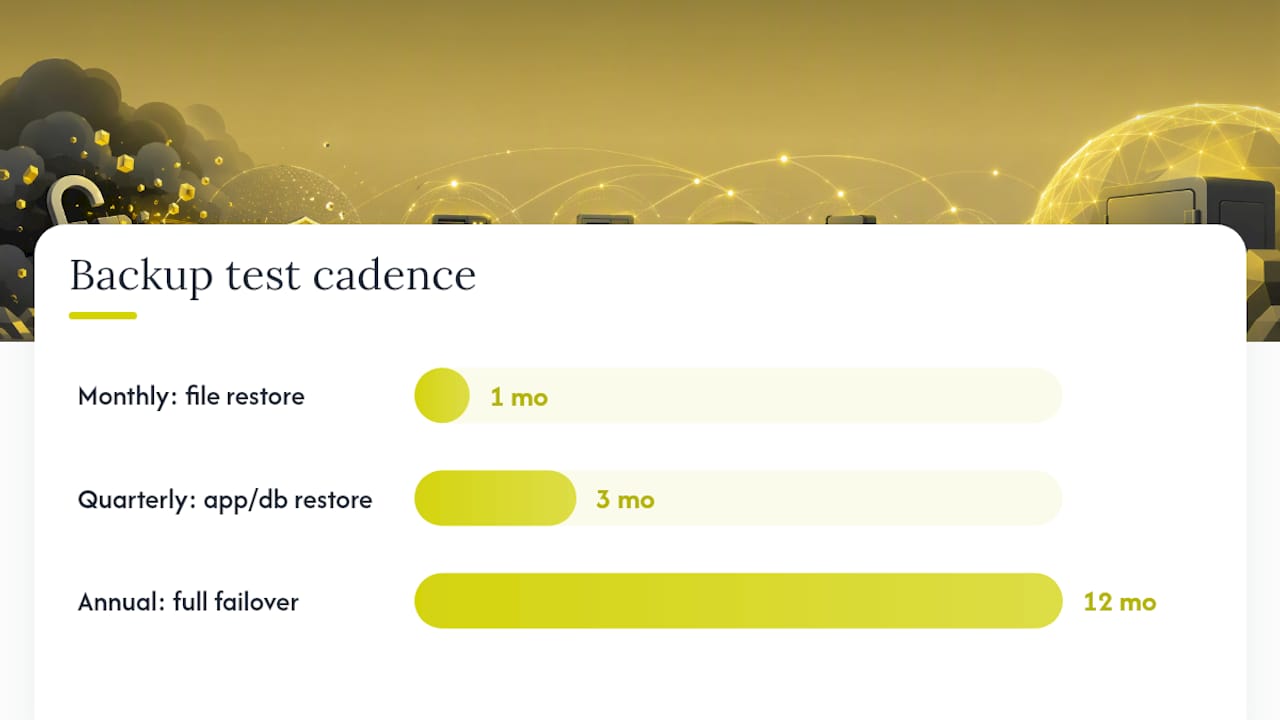
A workable testing cadence looks like this:
- Monthly: restore individual files or folders to confirm basic recoverability.
- Quarterly: restore a full application or database to a test environment and validate it functions correctly.
- Annually: run a full failover exercise simulating a real outage, including staff following the documented runbook.
Recommended testing guidance backs this exact monthly, quarterly, annual rhythm as the minimum bar for confidence. Record every test result, including failures, in your runbook so patterns of recurring problems surface before an actual emergency does. Small teams evaluating tools for this can start with lighter options like the backup plugins covered for e-commerce platforms, though enterprise environments need dedicated verification automation.
Common Mistakes That Quietly Break a 3-2-1 Strategy
Most 3-2-1 failures aren’t dramatic. They’re small oversights that compound.
- Treating sync as backup. OneDrive, Dropbox, and Google Drive sync changes instantly, including encryption from ransomware and accidental deletions.
- Reusing the same admin credentials across every backup target. One compromised login then unlocks every copy at once.
- Never testing restores. A backup job reporting “success” tells you data was written somewhere, not that it can be recovered intact.
- Depending on a single vendor or region for everything. One outage, contract dispute, or breach then threatens every copy simultaneously.
How 247techify Approaches Modern Backup Architecture
247techify builds managed backup and disaster recovery around the modernized version of this rule: immutable off-site copies, automated restore verification, and RTO/RPO targets documented per workload rather than guessed at. That approach matters most for regulated businesses in healthcare and finance, where compliance frameworks like HIPAA and PCI-DSS expect documented, tested recovery procedures, not just a backup job that runs overnight. For a deeper look at setting recovery targets correctly, see 247techify’s breakdown of RTO versus RPO, and for the architecture side, the cloud backup and disaster recovery service page outlines how the tiers fit together in practice.
— 247techify Team
Should You Build This Yourself or Bring in Help?
Ask four questions before deciding: Does your team have the skill and time to manage immutable storage and test cadences properly? Do you operate under HIPAA, PCI-DSS, or similar compliance obligations? Is your data volume and system count growing faster than your internal capacity? And what would a week of downtime actually cost you? A solo consultant with light file storage can likely self-manage. A multi-location clinic handling patient records almost always benefits from a managed partner who already runs verified backup infrastructure daily.
Backup architecture only works when someone is actually watching it, testing it, and documenting it, not just configuring it once and hoping. Managed backup and disaster recovery with 24/7 monitoring, automated restore testing, and RTO/RPO targets mapped per workload, backed by a rapid incident response time when something does go wrong, is essential.

For businesses in regulated industries, that means immutable off-site copies configured correctly the first time, not discovered missing during an audit. Teams that already run internal IT but want backup and DR expertise without hiring a specialist can look at co-managed IT services as a shared-responsibility option. If you want a straightforward read on where your current backup setup has gaps, request an assessment through 247techify’s managed IT services page and get a specific answer instead of a generic checklist.
Where to Read More on Backup Standards and Ransomware Defense
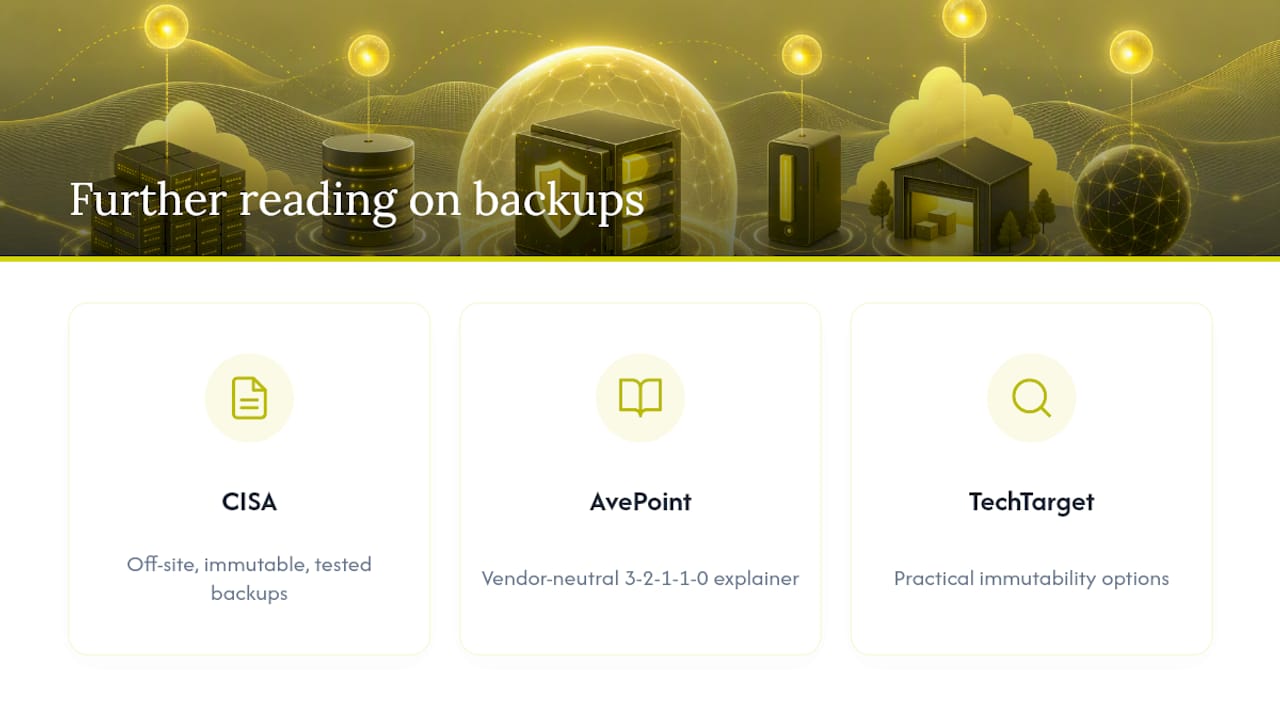
CISA’s data backup options guidance remains the clearest government reference on off-site, immutable, and tested backups as core ransomware defenses. Its StopRansomware program also maps backup controls to broader protective frameworks like NIST CSF. For vendor-neutral explainers on 3-2-1-1-0, AvePoint’s breakdown and TechTarget’s analysis both cover immutability options in practical detail.
Sources
- The 3-2-1 backup strategy of data protection | SentinelOne
- What Is the 3-2-1 Backup Rule? | AvePoint
- Data backup options (CISA)
- 3-2-1 backup strategy explained | TechTarget
FAQ
Is the 3-2-1 backup rule outdated?
No, but it needs modernizing. The original three copies, two media types, one off-site rule still holds as a baseline, but ransomware now requires adding an immutable or air-gapped copy and verified restore testing to be genuinely effective.
What is the 3-2-1 rule when backing up data?
It means keeping three total copies of your data, on at least two different types of media, with one copy stored off-site in a location that is geographically and logically separate from your primary systems.
What is the 3-2-1-1-0 rule for backing up data?
It extends 3-2-1 by adding one immutable or air-gapped copy that ransomware cannot alter or delete, plus a requirement of zero recoverable errors confirmed through automated, regularly scheduled restore testing.
Does the 3-2-1 backup rule actually work?
It works when implemented with modern additions. A plain 3-2-1 setup without immutability or testing can still leave every copy vulnerable if a backup remains reachable from the same network as production systems.
Is cloud sync the same as a backup under the 3-2-1 rule?
No. Sync tools like OneDrive or Dropbox mirror changes instantly, including ransomware encryption and accidental deletions, while a true backup preserves independent point-in-time versions you can roll back to.