
Remote IT support is defined as technical assistance delivered over the internet, enabling IT professionals to diagnose and resolve issues on your devices without being physically present. This practice, formally known as remote technical support, has become the operational backbone for small businesses that cannot justify the cost of full-time, on-site IT staff. Two core delivery modes exist: attended support, where a technician connects in real time with your permission, and unattended support, where background agents handle maintenance without interrupting your workday. For Canadian small businesses managing distributed teams, understanding what is remote IT support is the first step toward building a more resilient and secure IT operation.
What is remote IT support and how does it work?
Remote IT support works by using specialized software to establish a secure connection between a technician’s system and your device over the internet. Once connected, the technician can view your screen, transfer files, run diagnostics, change configurations, and apply fixes in real time. Remote access software enables full control over the target device, meaning most user problems get resolved without anyone setting foot in your office.

The two delivery modes serve different purposes. Attended remote support requires the user to be present and grant permission before the session begins. This works well for help desk calls, software troubleshooting, and situations where the technician needs to walk a user through a fix. Unattended support, by contrast, uses a persistent background agent installed on the device. That agent lets technicians perform patch management, system updates, and security scans outside business hours without any user involvement.
Most remote support platforms cover multiple operating systems, including Windows, Linux, macOS, iOS, and Android. That cross-platform reach matters for small businesses running mixed device environments, which is the norm rather than the exception.
Pro Tip: Ask any vendor whether their platform supports both attended and unattended sessions before signing a contract. A platform that only handles one mode will force you to buy a second tool as your needs grow.
What are the primary benefits of remote IT support for small businesses?
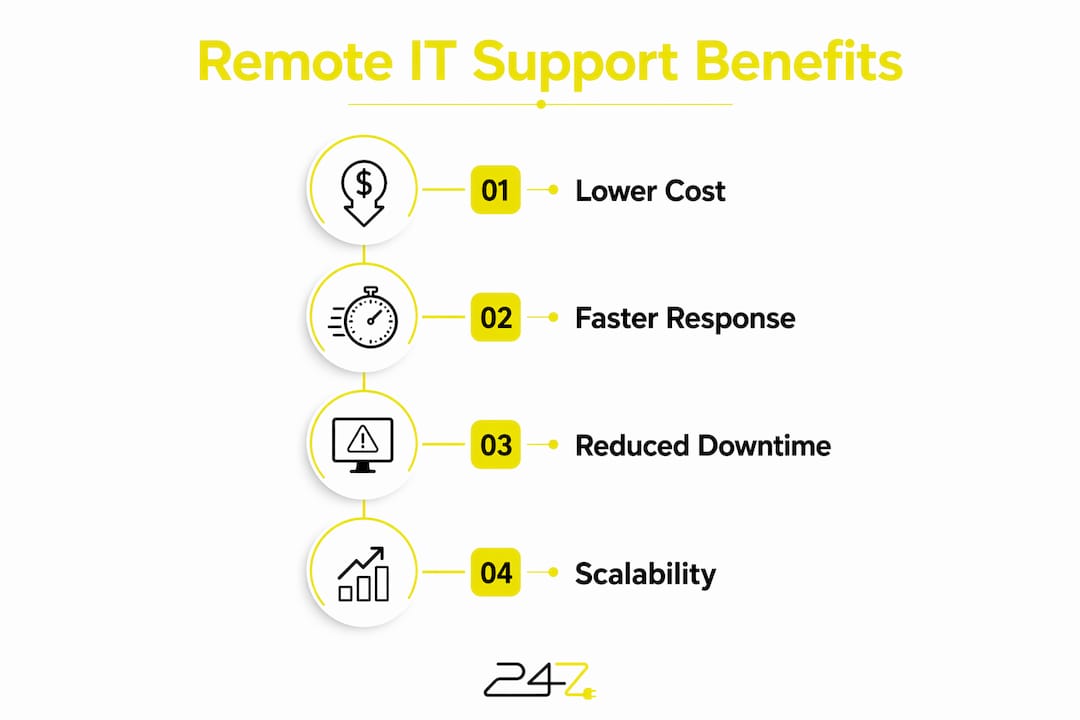
Remote IT assistance delivers three measurable advantages over traditional on-site support: lower cost, faster resolution, and greater flexibility. Each one compounds the others.
Lower costs without sacrificing quality
On-site support carries hidden costs that most small business owners underestimate. Travel time, mileage, and the minimum billable hour all add up before a technician even touches your machine. Remote support eliminates travel delays entirely, which reduces both the technician’s cost and your downtime. For businesses with multiple locations or remote employees, this saving multiplies with every additional site.
Faster response times and reduced downtime
Speed is where remote IT helpdesk services create the clearest competitive edge. A technician can connect to a failing system within minutes of a ticket being opened, compared to hours or even a full day for an on-site visit. Downtime costs real money in lost productivity, missed sales, and damaged client trust. Faster resolution directly protects revenue.
247techify maintains a response time of under 30 minutes, which reflects the operational standard that small businesses in regulated industries like healthcare and finance require to stay compliant and functional.
Scalability for growing and distributed teams
Unattended support makes after-hours maintenance practical at any scale. A technician can push patches and updates to 50 machines overnight without scheduling a single user session. This is particularly valuable for remote workforce IT support, where employees work across time zones and physical locations.
The practical benefits of remote IT support for small businesses include:
- No travel costs billed to your account for routine fixes
- After-hours patching that does not interrupt business operations
- Support for employees working from home, client sites, or other cities
- Faster ticket resolution that keeps staff productive
- Access to specialized expertise without hiring full-time staff
Pro Tip: Track the average time-to-resolution for IT tickets before and after adopting remote support. That single metric will tell you more about ROI than any vendor’s marketing materials.
How does remote IT support ensure security and compliance?
Security is the most critical factor in evaluating any remote IT support arrangement. Remote access, by its nature, creates a pathway into your systems. Without proper controls, that pathway becomes a threat vector.
A security-first mindset in remote IT support is not optional. Remote access pathways that lack proper authentication and monitoring are among the most exploited entry points in modern cyberattacks. Every session must be authenticated, logged, and reviewed.
The non-negotiable security controls for any remote support deployment include:
- Multi-factor authentication (MFA): Every technician login must require a second verification factor. Password-only access is insufficient.
- Least-privilege access: Technicians receive only the permissions needed for a specific task. No standing administrative access.
- Session logging and audit trails: Every remote session must be recorded with timestamps, actions taken, and the identity of the technician. This is mandatory for HIPAA and PCI-DSS compliance.
- VPN-less secure architecture: Modern enterprise platforms use secure VPN-less connections that reduce attack surface compared to traditional VPN tunnels.
- Endpoint verification: The platform should confirm the security posture of both the technician’s device and the target device before allowing a session.
Security practices like MFA and least-privilege access are the baseline standard, not advanced features. Any vendor that treats them as optional or premium add-ons is a red flag.
For businesses in regulated industries, audit trails are not just good practice. They are a compliance requirement under frameworks like HIPAA for healthcare and PCI-DSS for financial services. 247techify specializes in both standards, which is why their remote team IT security approach is built around compliance from the ground up, not retrofitted after the fact.
Pro Tip: Before onboarding any remote support vendor, request a copy of their SOC 2 report or equivalent security audit. If they cannot produce one, treat that as a disqualifying factor.
How can small businesses implement remote IT support effectively?
Effective implementation requires a structured approach. Choosing the wrong tool or skipping staff training creates more problems than it solves.
Step 1: Define your requirements before evaluating vendors
Identify the specific tasks you need remote support to handle. Help desk calls, patch management, and compliance reporting each have different technical requirements. A platform suited for a 10-person office may not scale to 100 employees without significant added cost. Vendor evaluation should cover scalability, security certifications, platform compatibility, and integration with your existing help desk workflow.
Step 2: Prioritize integration with existing workflows
Remote support works best when it connects directly to your ticketing system, asset management tools, and security information event management (SIEM) platform. Siloed tools create gaps in visibility. Enterprise-grade platforms use APIs to connect with CRM and SIEM tools, which means every remote session generates data that feeds into your broader security monitoring.
Step 3: Train your staff before going live
User resistance is the most common reason remote support implementations fail. Employees who do not understand why a technician is accessing their machine will block sessions or ignore alerts. A short briefing that explains what attended and unattended sessions look like, and why they happen, removes that friction.
Step 4: Measure performance continuously
Track three metrics from day one: average time-to-resolution, ticket volume by category, and user satisfaction scores. These numbers tell you whether your remote support arrangement is working and where to focus improvement efforts. Most help desk and desktop support tasks are well suited to remote execution, but physical hardware replacements and on-site infrastructure work still require an in-person technician. Knowing that boundary prevents unrealistic expectations.
The table below compares evaluation criteria across two common implementation approaches:
| Evaluation criterion | Managed remote IT service | Internal remote support tool |
|---|---|---|
| Setup time | Days to weeks | Weeks to months |
| Security oversight | Vendor-managed, audited | Internal team responsibility |
| Scalability | Immediate, subscription-based | Requires additional licensing |
| Compliance support | Included for HIPAA, PCI-DSS | Requires separate configuration |
| After-hours coverage | 24/7 included | Requires on-call staff |
Key Takeaways
Remote IT support is the most cost-effective and security-conscious way for small businesses to maintain reliable IT operations without the overhead of full-time on-site staff.
| Point | Details |
|---|---|
| Two core delivery modes | Attended support requires user presence; unattended support runs in the background for maintenance. |
| Security is non-negotiable | MFA, least-privilege access, and session logging are baseline requirements, not optional features. |
| Cost and speed advantages | Remote assistance eliminates travel costs and cuts resolution time to minutes instead of hours. |
| Compliance matters | Regulated industries need session audit trails to satisfy HIPAA and PCI-DSS requirements. |
| Implementation needs structure | Define requirements, integrate with existing workflows, train staff, and measure performance from day one. |
The uncomfortable truth about remote IT support adoption
— 247techify Team
Most small businesses adopt remote IT support for the wrong reason. They choose it because it is cheaper than on-site support, and they stop evaluating it there. That is a mistake that creates real risk.
The cost argument is valid, but it is not the most important one. The more urgent reason to adopt remote IT support is speed of response during a security incident. When a credential is compromised or ransomware begins encrypting files, the difference between a 30-minute response and a 4-hour on-site visit is the difference between a contained incident and a full breach. Remote access means a technician can isolate an affected machine, revoke credentials, and begin forensic analysis before the attacker has time to move laterally through your network.
The pitfall we see most often is businesses that deploy remote support tools without enforcing MFA on the technician side. The tool itself becomes the attack surface. Threat actors actively scan for exposed remote access endpoints, and an unprotected session is an open door. This is not a theoretical risk. It is the documented attack pattern behind a significant portion of ransomware incidents targeting small businesses.
The second pitfall is treating remote support as a replacement for a security strategy. Remote access is a delivery mechanism. It needs to sit inside a broader framework that includes endpoint detection, network monitoring, and incident response planning. Businesses that treat remote support as their entire IT security posture are exposed in ways they do not realize until something goes wrong.
The practical advice is this: before you sign any remote support contract, ask the vendor to walk you through exactly what happens during a security incident. If they cannot give you a specific, step-by-step answer, find a vendor who can.
— 247techify Team
247techify’s remote IT support for Canadian businesses
247techify delivers managed remote IT support built specifically for Canadian small and mid-sized businesses that need reliable, secure coverage without the cost of a full internal IT department.

Every engagement includes 24/7 availability, a guaranteed response time of under 30 minutes, and a cybersecurity-first architecture that covers MFA enforcement, session logging, and compliance support for HIPAA and PCI-DSS. For businesses that already have an internal IT team, 247techify’s co-managed IT services extend your existing capacity with after-hours coverage and specialized expertise. With a 98% client satisfaction rate, 247techify is the partner Canadian businesses in healthcare, finance, and professional services rely on when uptime and security are not negotiable. Contact 247techify to discuss a remote IT support plan built around your specific environment.
FAQ
What is remote IT support in simple terms?
Remote IT support is technical assistance delivered over the internet, where a technician connects to your device to diagnose and fix problems without visiting your location.
How does remote support work without a VPN?
Modern remote support platforms use secure, encrypted architecture that does not require a traditional VPN. These tools reduce attack surface while maintaining a protected connection between the technician and your device.
Is remote IT support secure for regulated industries?
Remote IT support is secure for regulated industries when it includes MFA, least-privilege access, and full session logging. These controls satisfy compliance requirements under HIPAA and PCI-DSS.
What tasks can remote IT support handle?
Remote support handles software troubleshooting, patch management, diagnostics, file transfers, configuration changes, and real-time screen sharing. Physical hardware replacements still require an on-site technician.
What is the difference between attended and unattended remote support?
Attended support requires the user to be present and grant permission for a live session. Unattended support uses a background agent to perform maintenance tasks like patching and updates without any user involvement.