
Why IT support response time improvement defines operational success
IT support response time is the interval between ticket creation and the first substantive acknowledgment by a support agent. Not an auto-reply. Not a confirmation email. A real, meaningful first contact that tells the user their issue is being actively handled. That distinction matters operationally because first response time sets the tone for the entire support experience, and users judge IT quality by how quickly they feel heard, not just how quickly their issue closes.
The business stakes are direct. Every minute a critical system sits unacknowledged is a minute of lost productivity, and at enterprise scale, that compounds fast. According to the 2026 IT Help Desk Benchmark Report, the median first response time across real ticket data is 5 minutes, with 75% of tickets receiving responses within 8 minutes. The gap that actually costs organizations is not in response speed. It is in resolution: tickets handled with AI automation close significantly faster than those without it.
Key reasons response time improvement belongs at the top of your operational priorities:
- Faster acknowledgment directly reduces user anxiety and perceived downtime, even before resolution begins.
- SLA compliance depends on documented first response windows, and missed targets carry financial and contractual penalties.
- A substantial portion of IT tickets create genuine work stoppages where employees cannot perform their jobs until the issue is resolved.
- Tickets resolved quickly convert frustrated users at a high satisfaction rate, while longer resolution times lead to noticeably lower satisfaction.
- Consistently fast first response builds institutional trust in IT, reducing shadow IT workarounds and informal escalations.
How to measure IT support response time accurately
Accurate measurement is the precondition for any sustained improvement. You cannot cut what you cannot see clearly, and averages alone will mislead you.
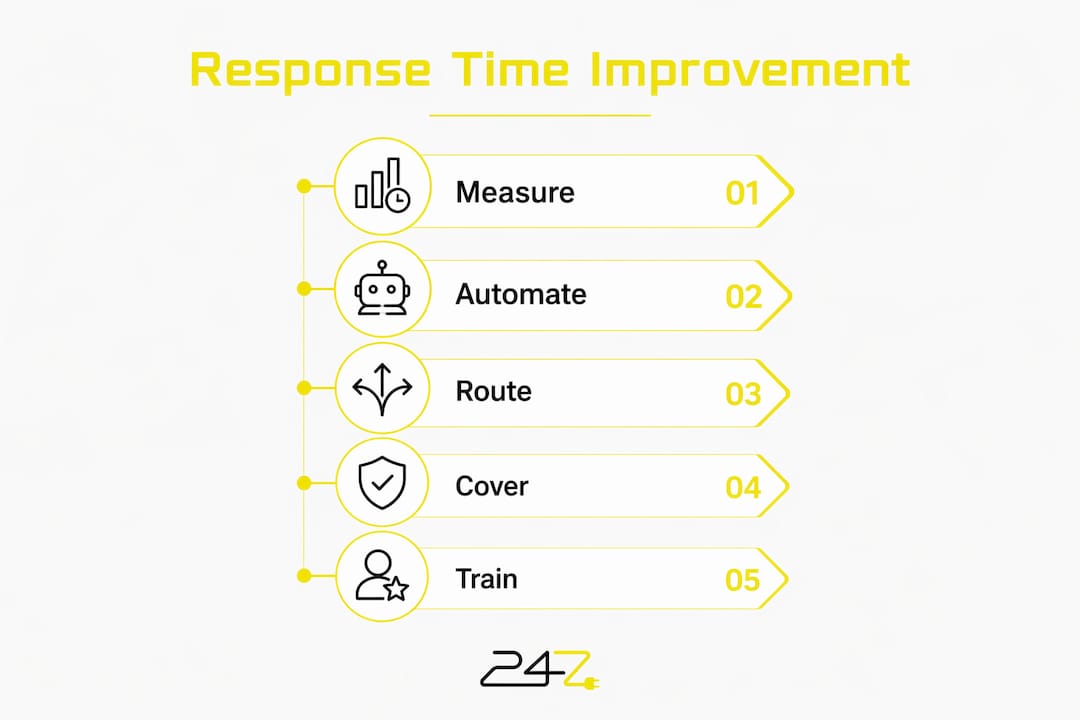
The two core metrics are First Response Time (FRT) and Mean Time to Resolve (MTTR). FRT measures the gap from ticket creation to first substantive agent contact. MTTR captures the full lifecycle from creation to closure. They are not interchangeable. FRT is almost entirely an operational and structural challenge around acknowledgment and routing. MTTR reflects technical complexity, tooling, and execution capacity. Conflating them produces the wrong interventions.
Best practices for measurement that actually surfaces actionable data:
- Segment by shift, agent, ticket category, and client tier. A segmented view reveals blind spots that monthly averages hide. A 4.8-minute average can mask a pattern where 15% of tickets consistently hit 12 minutes.
- Track distribution, not just median. A tight distribution with no outliers above threshold is the real goal, not a clean dashboard number.
- Use ITSM platforms with built-in analytics dashboards. Tools like ServiceNow, Jira Service Management, and Freshservice provide timestamp-level data for FRT and MTTR across ticket categories.
- Capture context at intake. Structured intake forms that auto-capture logs, error messages, and environment details reduce clarification rounds that inflate apparent response times.
- Measure by time of day. Overnight and weekend windows frequently hide coverage gaps that daytime averages obscure.
- Review weekly, not monthly. Weekly FRT reviews broken down by the dimensions above surface problems before they become client complaints.
Pro Tip: Avoid treating first response time as the sole performance indicator. Exclusive focus on FRT can distort priorities. Automating tier-1 issues like password resets delivers far greater reductions in MTTR and user downtime than shaving seconds off initial acknowledgment.
Proven strategies to enhance IT support response time
Automate ticket triage and routing
AI-assisted triage and rules-based auto-routing classify tickets the moment they arrive, assigning them by priority, category, client tier, and keyword triggers without human intervention. An agent opens their dashboard and sees exactly what needs handling, ranked by urgency. The manual routing step that costs 3 minutes per ticket disappears entirely. For tier-1 tasks like password resets, automation reduces MTTR by 98%, from 60-plus hours to under 3 minutes.

Build and maintain a living knowledge base
A searchable knowledge base lets users resolve common issues without submitting tickets, cutting inbound volume at the source. The key word is “living.” Static documentation degrades fast. High-performing teams organize response templates by issue type, severity, and client segment, refreshing them regularly so agents can fire off a warm, accurate first response in under 60 seconds.
Implement intelligent ticket routing by workload and expertise
Round-robin assignment creates bottlenecks. Intelligent routing matches tickets to agents by issue type, technical expertise, and current workload. Password resets go to tier-1; security incidents go to tier-3. Database tickets route to database specialists. This prevents the scenario where a complex issue sits with an overloaded generalist while a specialist sits idle.

Adopt a follow-the-sun coverage model
Extending shifts to cover overnight hours degrades agent sharpness and response agility. Geographically distributed teams operating in their own peak hours maintain energy and responsiveness across the full 24-hour cycle. This structural change consistently outperforms long-shift extensions for overnight FRT.
Deploy escalation triggers as standard operating procedure
High-performing helpdesks build live queue dashboards with hard-coded escalation triggers. When a ticket goes unacknowledged, a supervisor receives an automated alert, and the ticket escalates to the next available senior agent. These are not emergency measures. They are standard workflow components that prevent anything from slipping through during high-volume periods.
Invest in communication training alongside technical skills
Agents who can respond confidently and clearly, even before a solution is identified, dramatically improve user experience. “I’m on this and will have an update in 15 minutes” is a legitimate and effective first response. Onboarding programs at high-performing helpdesks explicitly train this communication calibration, not just technical resolution skills.
Staff for peak volume, not average volume
Staffing to average ticket volume guarantees SLA failures during every spike. Elite helpdesk operations analyze their highest-volume windows by day of week, time of day, and client activity cycles, then staff those windows at peak capacity. The cost of overstaffing a high-volume window is almost always lower than the cost of a missed SLA or a lost renewal.
Pro Tip: Use AI to send context-specific automated confirmations within seconds of ticket submission, including the estimated response window and a relevant self-help link. This buys the human agent 90–120 seconds to craft a meaningful first engagement rather than a generic acknowledgment. The user feels covered; the agent adds real value in their first touchpoint.
What SLA response time benchmarks actually mean for your operations
Service Level Agreements define the contractual response time commitments your team must meet, and they drive prioritization, staffing, and tooling decisions more than any other single factor. Understanding incident response SLA standards is foundational to building a support operation that holds up under scrutiny.
Standard SLA targets by ticket priority:
- Critical issues: 5–15 minutes first response
- High priority: 15–30 minutes
- Medium priority: 1–2 hours
- Low priority: 4–8 hours
Missing SLA targets carries real consequences: financial penalties in enterprise contracts, diminished client trust, and in regulated industries, potential compliance exposure. SLA breach alert systems, built into most ITSM platforms, notify managers when a ticket approaches its threshold, giving teams time to intervene before a miss is recorded. Without those alerts, breaches are discovered after the fact, when the damage is already done.
SLAs also function as a prioritization engine. When every ticket is treated with equal urgency, critical issues get buried. Defined SLA tiers force the operational discipline to route and escalate by actual business impact. Teams that treat SLA adherence as a first-class metric, not a compliance checkbox, consistently outperform those that do not.
In-house teams versus outsourcing: what actually affects response time
The decision between managing IT support internally and outsourcing it is fundamentally a question of coverage capacity and expertise depth. Both models can achieve fast response times. The variables are cost structure, control, and scalability.
Key considerations for each model:
- In-house teams offer direct control over SLA adherence, communication quality, and institutional knowledge. The challenge is coverage. Staffing a genuine 24/7 operation internally requires multiple shifts, redundant coverage for absences, and sustained training investment. For many organizations, the cost of true round-the-clock in-house coverage exceeds the budget.
- Outsourced models provide scalable 24/7 coverage with access to specialized expertise and established tooling without the overhead of building that infrastructure internally. The trade-off is less direct control over individual agent quality and communication consistency. Co-managed IT models offer a middle path, augmenting internal teams with external capacity during peak periods or overnight windows.
- Response time guarantees should be a primary evaluation criterion when assessing any outsourcing partner. Ask for FRT data segmented by shift, time of day, and ticket category, not just an average. Ask specifically what happens to a ticket that has not received a response at 2 AM on a Sunday.
- Scalability during spikes is where outsourced models typically outperform in-house teams. A widespread outage or major patch deployment can overwhelm a fixed internal team. Outsourced partners with larger agent pools absorb volume spikes without SLA degradation.
For organizations in regulated industries, managed IT services with built-in compliance expertise, such as HIPAA and PCI-DSS alignment, add a layer of value that pure response-time metrics do not capture.
Research-backed insights for faster IT support response times
The most authoritative data on IT support response time improvement comes from ticket-level analysis, not self-reported surveys. The 2026 IT Help Desk Benchmark Report, drawn from more than 50,000 tickets across 30-plus organizations over 14 months, establishes that the median first response is 5 minutes regardless of automation level. The performance gap opens downstream.
Key finding: AI automation produces a 16x faster resolution time, with automated tickets closing at a median of 4.4 hours versus 71 hours for non-automated tickets.
The SolarWinds 2025 ITSM Report, analyzing more than 60,000 anonymized data points, found that organizations using generative AI in ITSM reduced average incident resolution time from 32.46 hours to 22.55 hours, a 30.5% improvement. Across all incidents logged in the study period, GenAI-enabled organizations saved a cumulative 323,343 hours.
Moveworks frames MTTR reduction around three integrated levers: faster diagnosis through aggregated signal correlation, faster execution via automated runbooks with governed policy controls, and smarter routing that keeps incidents out of engineering queues unless escalation is genuinely warranted. The key insight is that these levers only deliver durable improvement when they operate together, not as isolated workflows.
Pro Tip: Automate runbook execution with audit logs and policy controls. Governed automation, where the system detects state changes, determines the right response, and executes within defined policy boundaries, eliminates the approval delays and manual handoffs that inflate MTTR without sacrificing control or traceability.
High-performing helpdesks also treat response time as a cultural metric, not just a technical one. When agents understand that the person waiting might be a CFO locked out of financial reporting 20 minutes before a board meeting, the five-minute window carries a different operational weight.
Key Takeaways
Consistent IT support response time improvement requires integrating automation, structured measurement, and 24/7 coverage into a single operational framework, not applying each tactic in isolation.
| Point | Details |
|---|---|
| Measure by segment, not average | Track FRT by shift, agent, category, and client tier to surface blind spots that monthly averages hide. |
| Automation targets resolution, not response | AI automation cuts median resolution time drastically; first response times tend to be relatively fast already. |
| SLA tiers drive prioritization | Critical tickets require a 5-minute median first response (75% within 8 minutes) for best practice; low-priority tickets allow 4–8 hours. |
| Follow-the-sun beats shift extensions | Geographically distributed teams maintain response agility overnight more effectively than extended single-location shifts. |
| Outsourcing adds scalable coverage | Co-managed and fully outsourced models absorb volume spikes without SLA degradation, at lower cost than full in-house 24/7 staffing. |
FAQ
What is a good SLA response time for IT support?
Standard SLA benchmarks typically specify a 5-minute median first response for critical issues (with 75% of tickets receiving responses within 8 minutes), and progressively longer times for lower priority tickets.
What is the 10/5/3 rule in customer service?
The 10/5/3 rule is a proximity-based service standard from hospitality, not a formal IT support benchmark. IT support teams use SLA-defined response tiers by ticket priority rather than this rule.
How can you improve customer response time in IT support?
The most effective approach combines AI-assisted triage for instant routing, escalation triggers that alert supervisors before SLA breaches occur, and follow-the-sun coverage models that maintain agent sharpness across all hours. Structured intake forms that auto-capture diagnostic context also eliminate clarification rounds that inflate response time.
What improvements would you suggest for IT services?
Automate tier-1 tasks like password resets and account unlocks, which account for a substantial portion of helpdesk volume and follow predictable runbooks. Pair that with a maintained knowledge base, segmented FRT tracking, and SLA breach alerts to build a support operation that improves continuously rather than reactively.

247techify delivers 24/7 managed IT support with a guaranteed response time under 30 minutes, backed by a high client satisfaction rate. If your current support model is leaving response time gaps that cost your team productivity and SLA compliance, 247techify’s cybersecurity-first approach is built to close them.